Weekly Roundup 3/27/26: 5 Quick Answers on Apparel, SEO, AI Search, Window Graphics & Websites

Welcome to our Weekly Marketing Roundup—a quick Friday post from NWPC Marketing Solutions that answers a handful of the questions we hear most from business owners and marketing teams. No fluff, just clear, practical answers you can use right away.


1) Embroidery vs. screen printing — which is better for uniforms and branded polos?

Answer: Embroidery is best for polos, hats, and professional uniforms where you want a premium, durable look. Screen printing is best for t-shirts, hoodies, and larger designs where you want bold color and lower cost at higher quantities.


2) If I’m a local business, what should I focus on first for SEO?

Answer: Start with service pages (clear, specific, conversion-focused). Add location pages if you serve multiple cities/areas. Use blogging to support both by answering customer questions and targeting long-tail searches.


3) How is AI changing Google search, and what should I do so my business still shows up?

Answer: AI results often summarize answers and cite sources. To stay visible, keep your website clear, helpful, and up to date—with strong service pages, FAQs, and content that answers real questions. Make sure your site structure and on-page SEO are clean so search engines can understand what you do.


4) Perforated window vinyl vs. frosted vinyl — which should I use for my storefront?

Answer: Use perforated vinyl when you want marketing visibility from outside while still seeing out from inside. Use frosted vinyl when your priority is privacy and a clean, professional look (great for offices, clinics, and financial services).


5) Website refresh vs. rebuild — how do I know which one I need?

Answer: Choose a refresh if the site works but looks dated or isn’t converting well. Choose a rebuild if the site is slow, hard to update, has structural SEO issues, or your platform is limiting growth.


Need help with any of these?

If you want a quick recommendation for your specific situation—apparel, SEO/content, window graphics, or a website upgrade—NWPC can help you choose the best option and handle the execution.

This field is for validation purposes and should be left unchanged.
Name(Required)

Why Your Website Should Have a Blog (And How SEO Snowballs Over Time)

If your website is supposed to bring in leads, it needs more than a homepage and a few service pages. Those pages are important—but they only cover a small slice of what people actually search for.

A blog is how your website starts showing up for the questions, comparisons, and “I’m trying to figure this out” searches that happen before someone is ready to contact you. It’s also one of the simplest ways to keep your website active, expand what you rank for, and build long-term organic visibility.


A blog gives your website more chances to show up in Google and other search engines.

Most business websites have a handful of core pages but that’s not enough to capture the variety of searches people use. Blog posts let your website target dozens (or hundreds) of additional searches like:

  • “How much does ___ cost?”
  • “What’s the difference between ___ and ___?”
  • “Do I need ___ or ___?”
  • “Best way to ___”
  • “Common mistakes with ___”

Those searches are where many leads start. If your website can answer them, you’re in the running.


Blogging keeps your website fresh and “alive”

Search engines crawl websites to find new and updated content. When your site hasn’t changed in a long time, you’re not giving crawlers much to work with—and you’re not giving customers a reason to come back.

A consistent blog cadence adds new pages, updates your internal linking, and signals ongoing relevance–it helps show that your website is maintained and active.


Blog posts build trust before the customer ever contacts you

A strong blog does more than rank on search engines. It answers real customer questions and makes your business the obvious choice.

When someone reads a helpful article on your site, you’ve already done part of the sales process:

  • You’ve explained the topic clearly
  • You’ve reduced uncertainty
  • You’ve shown expertise without a hard pitch

That’s why blog-driven leads are often higher quality—because they’ve already learned from you.


Blogging supports your most important pages

One of the best uses of a blog is to strengthen your money pages.

Each blog post can link back to:

  • A specific service page
  • A location page
  • A contact/quote page

This builds a web of relevance and helps search engines understand what you want to be known for—while guiding readers to the next step.


AI-powered search results (like AI summaries and conversational search) often answer questions directly and cite the sources they pulled from. That means your goal isn’t only “get the click” anymore—it’s also be the source the AI chooses to reference.

Blog posts are one of the best ways to earn that attribution–when your site consistently publishes helpful blog content, it increases the chances your pages show up as a cited source in AI results—so even if a user doesn’t click immediately, your brand still gets visibility, trust, and a better shot at being the business they contact when they’re ready.


SEO is a long game (and it snowballs)

Here’s the honest part: blogging for SEO usually doesn’t explode overnight.

SEO works more like compounding interest. One good blog post may bring in a small amount of traffic at first. Then it gets indexed, starts ranking for more variations, earns clicks, gets linked internally, and builds credibility over time. Add another post next month. Then another. Now your site is ranking for dozens of terms instead of a few.

That’s the snowball:

  • More content → more keywords → more visibility
  • More visibility → more clicks → more engagement signals
  • More engagement → more trust → more leads

Consistency is what turns “a few posts” into a real inbound channel.


Metadata: The part most businesses miss

Many companies write blog posts and hit publish—but skip the setup that helps posts rank. There is actually a front side and back side:

Front side (what readers see)

  • Clear topic and intent
  • Helpful structure and headings
  • Simple language and real-world examples
  • Calls-to-action that guide readers to contact you

Back side (what search engines see)

This is where many blogs are lacking–SEO details that help content build momentum:

  • SEO title and meta description written for search clicks
  • Keyword focus + supporting phrases
  • Clean URL slug
  • Proper heading structure (H1/H2/H3)
  • Internal linking to support service pages
  • Basic formatting and image optimization

This is how blog posts become a measurable SEO asset—not just “news updates.”


If keeping up with blogging feels like one more thing on an already full plate, you’re not alone. A lot of teams know they should post consistently—they just don’t have the time to plan topics, write drafts, and get everything published correctly (including the SEO details).

That’s where we can help! NWPC can handle the writing and the behind-the-scenes setup, and you still stay in the driver’s seat with a simple monthly check-in to review topics and approve content before anything goes live. It keeps your website active and moving in the right direction without you having to babysit the process.

Get blog help from our experts!
Name(Required)

Door Vinyl Graphics: Full Wrap vs Partial Wrap vs Frosted Vinyl (Which Should You Choose?)

Door vinyl graphics are one of the simplest ways to make your entrance look more professional, easier to understand, and more on-brand.

For many businesses, your door is where customers decide two things fast: “Am I in the right place?” and “What do I do next?”

When businesses search for solutions like “door wrap,” “door vinyl decals,” “frosted door film,” or “storefront door graphics,” they’re usually trying to solve one of three problems:

  1. Increase visibility
  2. Improve branding
  3. Add privacy.

Full Wrap vs Partial Wrap vs Frosted Vinyl

  • Full door wrap = best for maximum visibility and bold branding
  • Partial door wrap = best for clean, professional branding and easy updates
  • Frosted vinyl = best for privacy with a premium “etched glass” look

If you want the “best option” for your business, keep reading—these choices depend on your goal and the type of door.


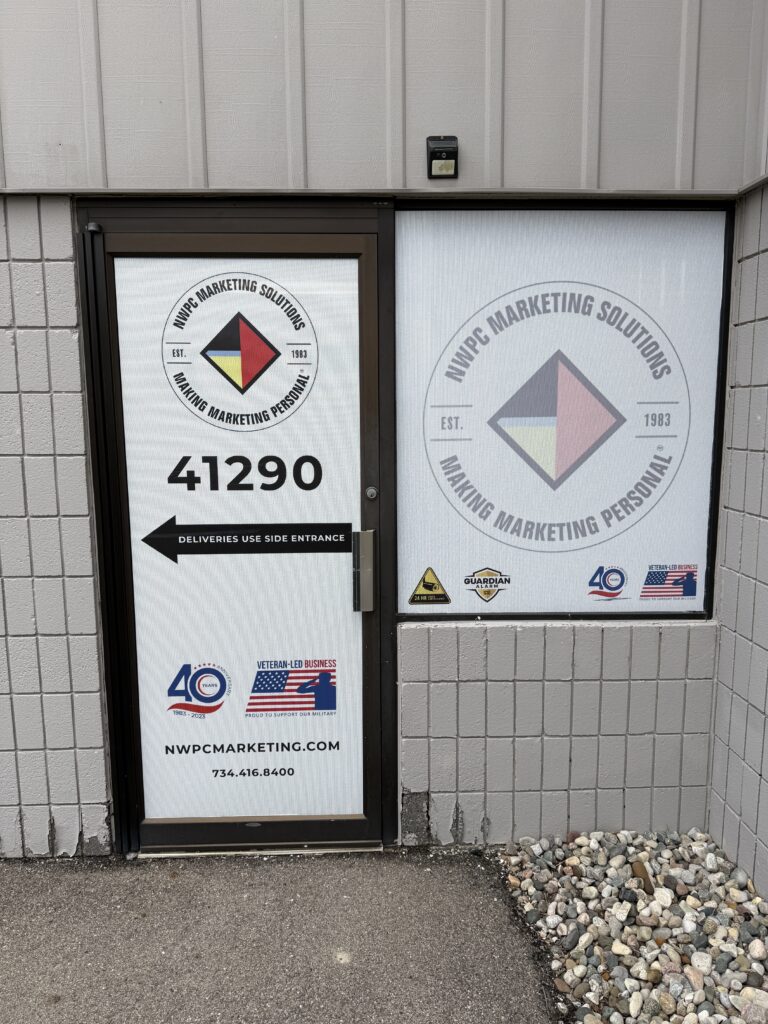
What is a full door wrap?

Example of a full vinyl door wrap at the NWPC HQ building in Plymouth, MI

A full door wrap covers most (or all) of the door with printed vinyl. The goal is simple: make your entrance stand out and communicate your message quickly.

Businesses choose full door wraps when they want strong curb appeal, a more noticeable storefront, or a door that acts like signage.

Full door wraps are great at:

  • More visibility at your entrance
  • Strong branding instantly
  • Providing key wayfinding info (address, suite #, etc.)
  • Upgraded look without replacing the door

A full wrap works best when the message is short and readable—think business name, branding, and a clear next step.


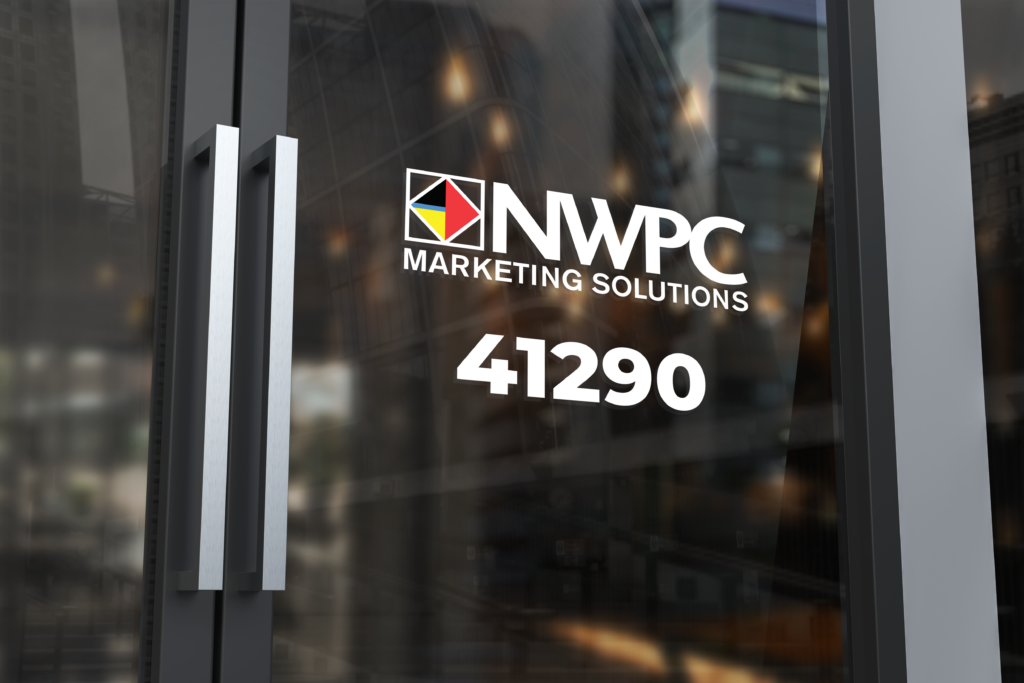
What is a partial door wrap?

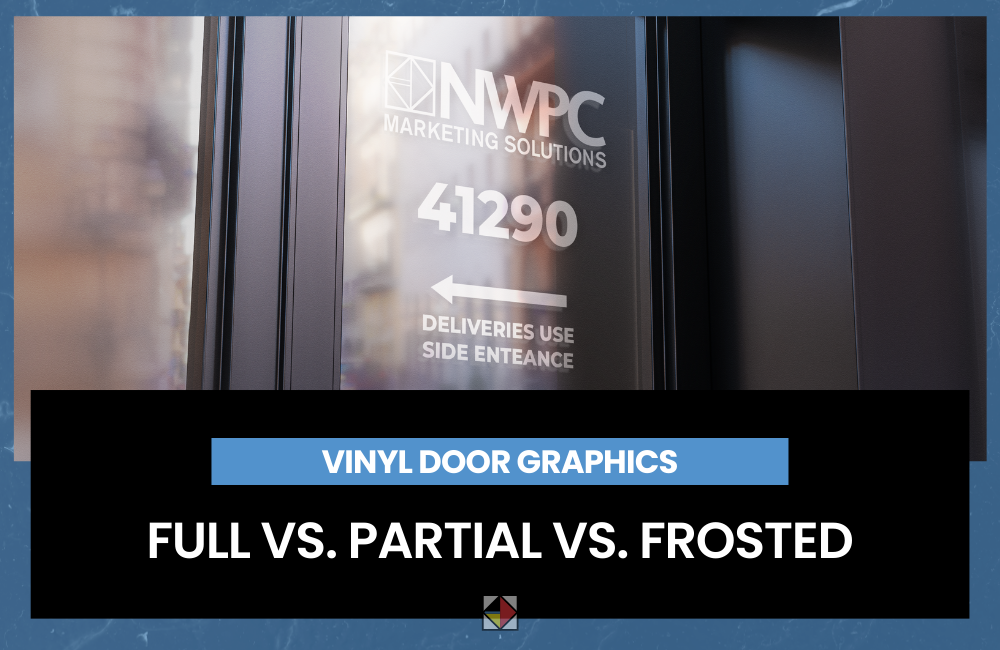
Example of a partial vinyl wrap on a door featuring the NWPC Marketing Solutions logo and address number.

A partial door wrap uses vinyl in the most important spots rather than covering the entire door. This is the most common choice for offices and professional services because it looks clean, polished, and intentional.

Partial wraps typically include elements like your logo, business name, hours, suite number, and “Enter Here” messaging—without overwhelming the space.

Partial door wraps are best for:

  • Office suites, medical practices, financial services, and professional buildings
  • Doors where you want branding and info, but not a full billboard
  • Businesses that expect to update details over time (hours, offers, tenant changes)
  • Locations that want a consistent look across multiple doors

If your door already looks good, a partial wrap is often the smartest long-term approach.


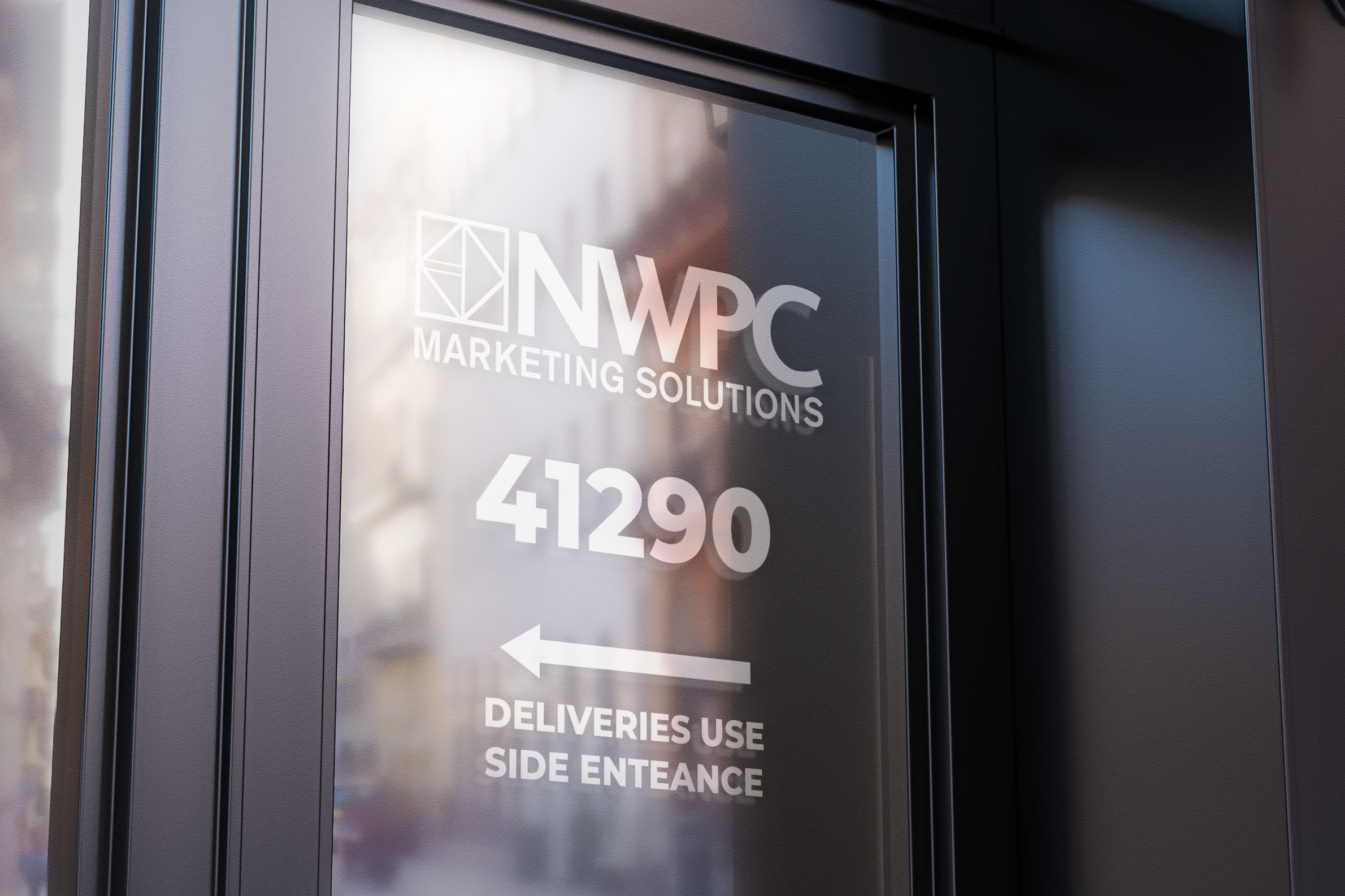
What is frosted vinyl?

Example of frosted vinyl on office door with NWPC Marketing Solutions logo, address number, and arrow pointing to the deliveries side entrance.

Frosted vinyl is a privacy film applied to glass doors (or glass sections of a door). It creates an “etched glass” look while still letting light pass through. It’s not usually used for big promotional messages—it’s used to make the entrance feel more private and more professional.

Frosted door vinyl is best for:

  • Privacy in lobbies, waiting rooms, offices, and treatment areas
  • Businesses where confidentiality matters (medical, legal, HR, financial)
  • Conference rooms and interior glass doors
  • Adding branding in a subtle, premium way

Frosted vinyl can include a cut logo, patterns, or clean text—so it still feels branded without being loud.


How to choose the right door vinyl

If your main goal is visibility and attention, choose a full door wrap.
If your main goal is professional branding and clear information, choose a partial wrap.
If your main goal is privacy, choose frosted vinyl.

And if your door needs to do more than one thing (branding + privacy, for example), we often combine approaches—like frosted on glass with a clean logo and entry messaging.


We can handle design, print, and installation!

Most business owners don’t want to guess what type of vinyl they need or how to size it. We make door vinyl straightforward:

  • Design: clean layouts that match your brand and read quickly
  • Production: printed and finished to look professional and hold up
  • Installation: installed properly so it looks aligned, clean, and durable

Whether you need one door done right or consistent door graphics across multiple locations, we handle the entire process.


Let’s get started!

Give us some quick information and we’ll setup a time to talk about your project!

This field is for validation purposes and should be left unchanged.
Name(Required)

Website Refresh vs Website Rebuild: What’s Right for Your Business?

If your website feels dated or isn’t bringing in leads like it used to, there are two options:

  1. A website refresh (improve what you have on your existing infrastructure)
  2. A website rebuild (start over with a new foundation or a new platform)

The trick is choosing the option that solves your website problems without overpaying, losing SEO momentum, or getting stuck in a months-long project that sucks up all your time.

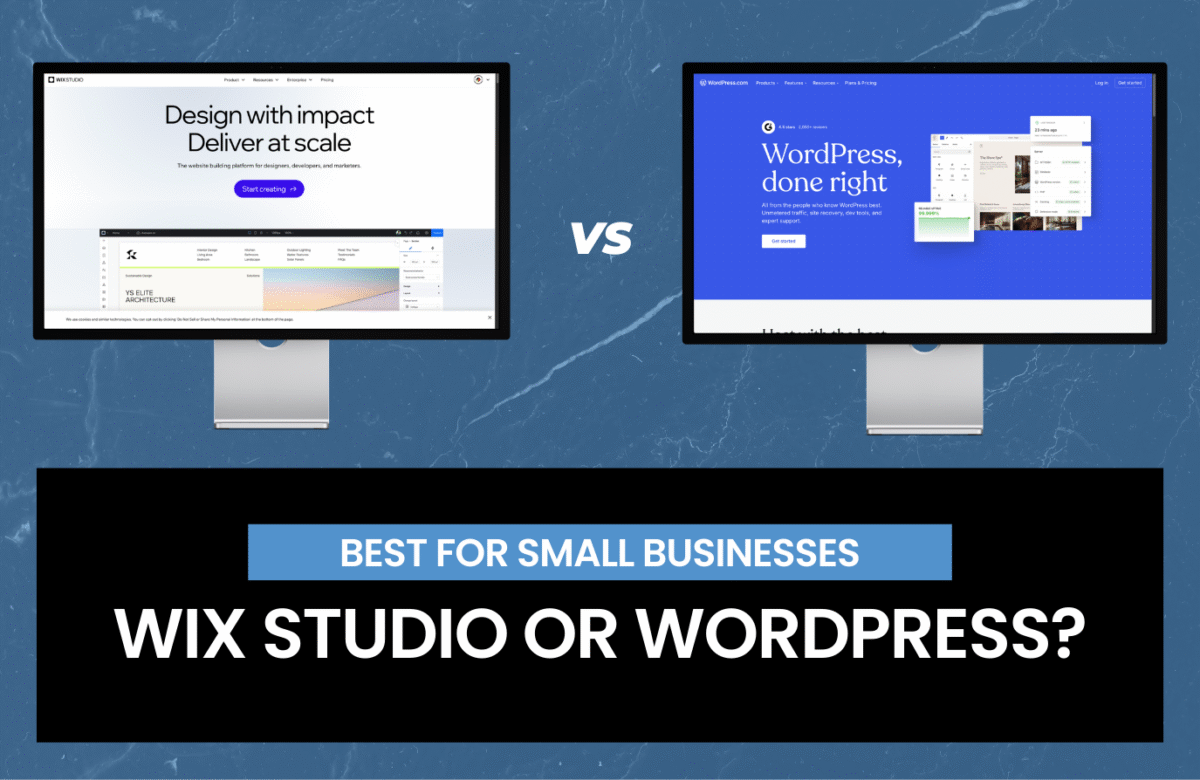
At NWPC Marketing Solutions, we help businesses make this call all the time! We build and rebuild sites on the most popular platforms, including WordPress, Wix Studio, Shopify, Squarespace, and more. Our goal isn’t to recommend one “favorite” tool. We’re purely focused on what will work best for your business and your goals.


What is a website refresh?

A refresh keeps your existing website platform and structure, but upgrades the parts that matter most—usually design, messaging, usability, and key pages.

Some common refresh improvements:

  • Updated homepage layout and messaging
  • New photos/visuals and modernized styling
  • Cleaner navigation
  • Reworked service pages
  • Better calls-to-action (forms, buttons, click-to-call)
  • On-page SEO improvements (titles, meta descriptions, headers)
  • Speed improvements (images, caching, bloat cleanup)

What is a website rebuild?

A rebuild is a ground up build of your site—often with a new theme/system, new page templates, and sometimes a new platform.

Why have your website rebuilt?

  • Your website is slow, unstable, or hard to update
  • SEO problems are baked into the structure
  • The site has grown messy over time (too many plugins, patches, and workarounds)
  • You’re changing platforms (ex. Squarespace → WordPress, Wix → Wix Studio, etc.)
  • You need new functionality (ecommerce, portal, booking, integrations, custom features)
  • You want a stronger foundation for SEO and future growth

The pros and cons of a website refresh

Pros

  • Faster timeline (often weeks, not months)
  • Lower cost than a full rebuild
  • Less disruption (you keep your platform and most URLs)
  • Can deliver quick wins for leads and conversion rate
  • Good option when your foundation is solid

Cons

  • You can’t fix everything if the underlying structure is flawed
  • If the site is already “held together with duct tape,” a refresh may be temporary
  • Limited flexibility if your current platform/theme is restrictive

The pros and cons of a website rebuild

Pros

  • Clean, modern foundation built for speed, SEO, and conversions
  • Better long-term scalability (adding pages, locations, integrations, ecommerce)
  • Opportunity to improve site architecture and user flow
  • Great time to rethink messaging and positioning
  • Can remove years of clutter and patchwork

Cons

  • Bigger investment (time and budget)
  • Requires careful planning to protect SEO (redirects, content migration, tracking)
  • More decisions up front (platform, structure, design system, integrations)

Deciding between a refresh and a rebuild:

A refresh is usually enough if…

  • Your website works fine, it just looks outdated
  • You like your platform and it’s easy to update
  • Your pages are organized and your navigation makes sense
  • You don’t need major new features or integrations
  • Your SEO is decent and your URL structure makes sense

A rebuild is usually the smarter move if…

  • Your site is slow, buggy, or difficult to maintain
  • You’re embarrassed to send people to it
  • Your platform is limiting what you want to do
  • You need ecommerce, better integrations, or new functionality
  • Your SEO structure is messy (duplicate pages, poor internal linking, confusing URLs)
  • You’re rebranding or changing how you sell to clients

The SEO and tracking risks of website refreshes and rebuilds

  • Changing URLs without a redirect plan
  • Removing top-performing pages “because we don’t like them”
  • Launching without analytics or conversion tracking
  • Forgetting about local SEO signals (NAP, location pages, reviews)
  • Moving platforms without preserving metadata and on-page structure

When we build websites, we treat SEO and tracking as part of the build—not a “later” item.


How we help you choose the right path

Your business doesn’t need a sales pitch—you need a clear recommendation driven by an educated analysis.

Here’s how we approach it:

  1. Audit what you have (performance, SEO, conversion flow, platform limits)
  2. Identify the real problem (design, messaging, technical debt, content gaps, speed)
  3. Recommend refresh vs rebuild based on impact and budget
  4. Build on the right platform for your business

We develop on various website platforms:

  • WordPress (flexible, scalable, great for SEO/content)
  • Wix Studio (we’re a Legend Partner; great for modern, responsive sites)
  • Shopify (best for ecommerce-first businesses)
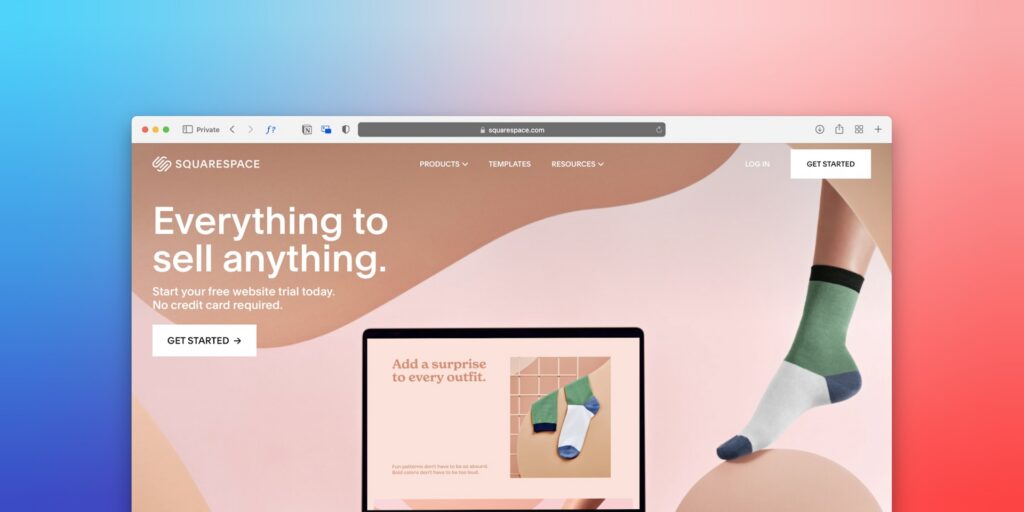
  • Squarespace (strong for design-forward sites and simpler builds)
  • And other solutions when needed

The goal is simple: make sure your next website investment actually moves the needle.


What you’ll typically get with a refresh

  • Updated design and layout where it counts
  • Improved calls-to-action and lead capture
  • Page clean-up, speed improvements, and basic technical fixes
  • On-page SEO cleanup (titles/meta/headers)
  • A site that feels modern and works better—without starting from scratch

What you’ll typically get with a rebuild

  • A new structure built for conversions and SEO
  • New templates and a cleaner editing experience
  • Content migration done carefully (with SEO preserved)
  • Redirect mapping and launch QA
  • Tracking set up correctly from day one

Want a clear recommendation?

Tell us what platform you’re on, what’s not working, and what you want your website to do (leads, bookings, ecommerce, credibility). We’ll point you toward the smartest next step and, if it’s a fit, our team can handle the design and development.
This field is for validation purposes and should be left unchanged.
Name(Required)

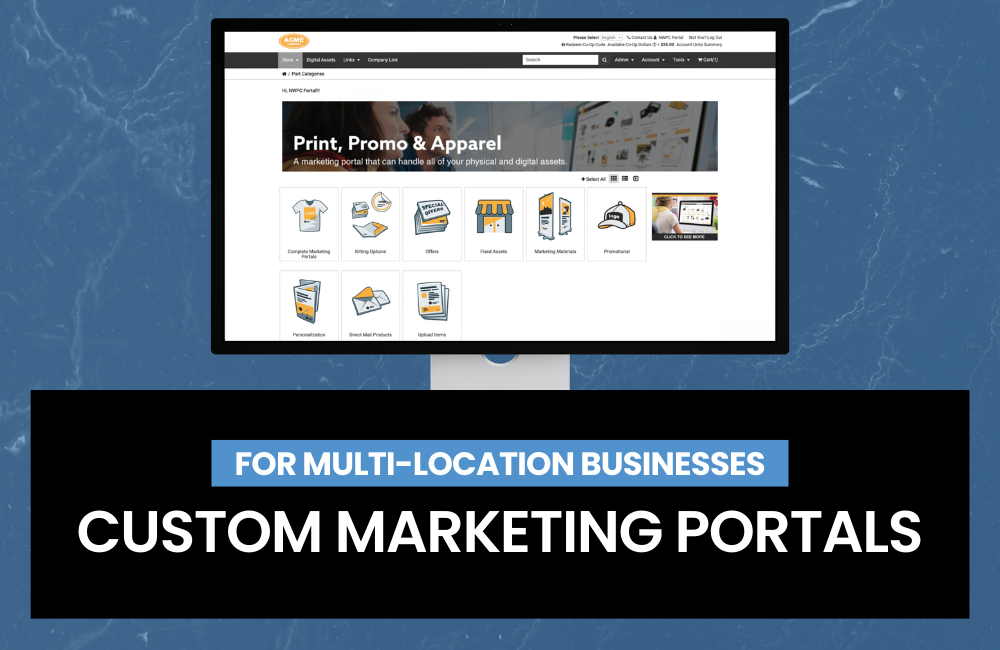
NWPC’s Custom Marketing Portal for Multi-Location Businesses

NWPC’s custom marketing portal solves that by giving your organization a single, controlled place to order brand-approved items—kind of like a custom ecommerce website for your brand—so every location can get what they need without going off-brand or shopping around for low-quality suppliers.

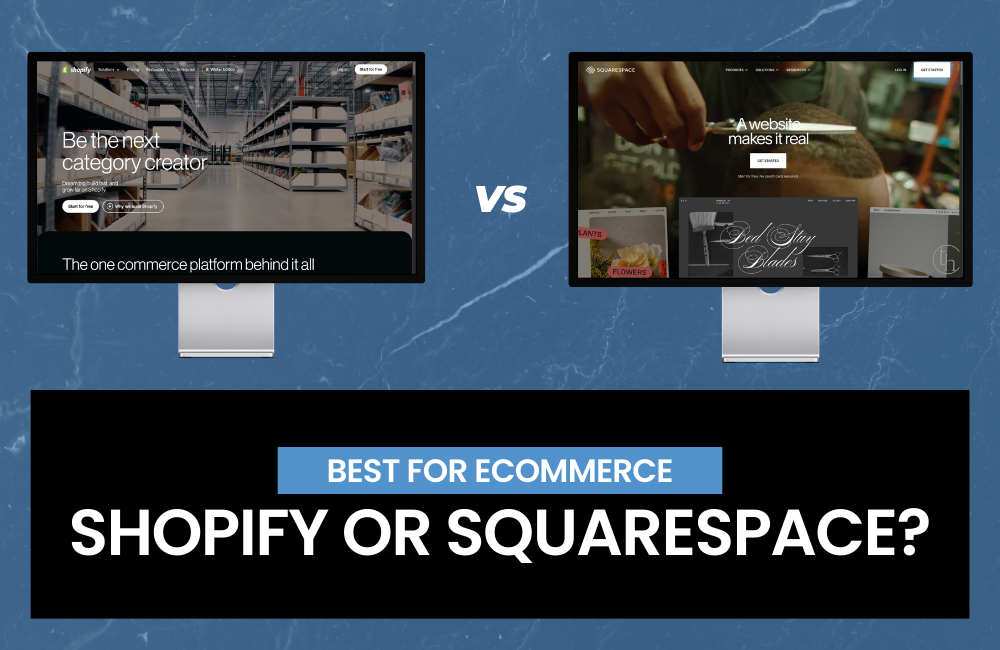
Shopify vs Squarespace: Which Website Builder Is Best for Ecommerce?

If you’re trying to choose between Shopify vs Squarespace, you’re not alone. Both are popular choices for building a professional website, but they’re built for different goals. One is purpose-built for selling products online; the other is known for beautiful design and an easy website-building experience.


Quick comparison: Shopify vs Squarespace

Choose Shopify if you want:

  • A dedicated ecommerce platform built to scale
  • Strong inventory management, shipping, taxes, and multi-channel selling
  • Lots of apps, integrations, and advanced storefront customization

Choose Squarespace if you want:

  • A design-forward website builder with built-in commerce
  • A simpler store (few products, minimal variants) and fewer moving parts
  • An all-in-one site for services, bookings, portfolios, and content

1) Ecommerce features: who’s better for selling online?

Shopify: best for ecommerce functionality.

Shopify is designed for ecommerce first. That shows up in day-to-day tools like:

  • Product variants, SKUs, collections, and robust inventory
  • Shipping profiles, discounted rates (depending on plan), and fulfillment workflows
  • Strong checkout experience optimized for conversions
  • Multi-channel selling (social, marketplaces, in-person POS)

If your goal is to build a serious online store—especially with many products or complex shipping—Shopify is usually the better choice.

Squarespace: best for simple stores + great websites

Squarespace works well for:

  • Smaller catalogs
  • Simple product options
  • Creators and local businesses that want a premium-looking website with light ecommerce

It’s a strong fit if ecommerce is important, but not the only focus (e.g., you’re selling a few products alongside services, memberships, or content).

Bottom line: For pure ecommerce power, Shopify wins. For a beautiful website with a smaller store attached, Squarespace is often enough.


2) Templates and design: Shopify themes vs Squarespace templates

Squarespace templates: clean and design-forward

Squarespace is known for polished templates and consistent design. If you want a website that looks “done” quickly—especially for creative brands—Squarespace is hard to beat.

Shopify themes: flexible and store-focused

Shopify themes are built to sell: product pages, collections, featured products, and conversion-focused layouts. With the right theme (and maybe a developer or page builder), Shopify can look just as premium, but it typically takes a bit more setup.

Bottom line: If design simplicity is your priority, Squarespace wins. If you want store-optimized layouts and deeper customization, Shopify wins.


3) SEO: Shopify SEO vs Squarespace SEO

Both platforms support solid SEO fundamentals:

  • Custom page titles and meta descriptions
  • Clean URL structures (with some limitations)
  • Mobile-responsive design
  • Blogging and content pages (Shopify and Squarespace both support blogging)

Shopify SEO strengths

  • Built for ecommerce SEO: product pages, collections, structured store architecture
  • Lots of SEO apps and tools (schema support, redirects, advanced optimization)
  • Strong ecosystem for technical SEO improvements

Squarespace SEO strengths

  • Great for content-heavy sites: portfolios, service pages, and local business websites
  • Easy-to-manage on-page SEO for non-technical users
  • Fast setup for a clean, modern site structure

Bottom line: For ecommerce SEO at scale, Shopify has the edge. For straightforward business websites and content, Squarespace is excellent.


4) Pricing: Shopify pricing vs Squarespace pricing (what to know)

Pricing changes over time, but the key differences stay consistent:

Shopify costs to consider

  • Monthly plan + potential app costs
  • Payment processing fees
  • Extra features often come from apps (email, bundles, subscriptions, advanced SEO)

Squarespace costs to consider

  • Monthly plan is more “all-in-one”
  • Fewer paid add-ons needed for basic sites
  • Commerce features may be limited compared to Shopify’s ecosystem

Bottom line: Squarespace can be more predictable for smaller sites. Shopify can be more expensive, but it’s often worth it if ecommerce is core to revenue.


5) Ease of use: which is easier for beginners?

  • Squarespace is typically easier for first-time website builders because everything is tightly integrated.
  • Shopify is still beginner-friendly, but setting up a high-performing store often involves more decisions (theme, apps, product organization, shipping settings).

Bottom line: If you want the simplest path to a professional site, Squarespace is often easiest. If you’re building a store designed to scale, Shopify is easier in the long run.


6) Payments and checkout: what converts better?

Shopify’s checkout experience is widely considered one of its biggest strengths, with features and integrations designed to reduce friction and improve conversion rate.

Squarespace has a capable checkout for small stores, but it generally offers fewer advanced commerce tools and ecosystem options.

Bottom line: For ecommerce conversion optimization, Shopify is usually the better platform.


7) Scalability: which platform grows with your business?

Choose Shopify if you plan to:

  • Add lots of products or variants
  • Expand to multi-location inventory
  • Sell on multiple channels
  • Run advanced promotions, bundles, subscriptions, or wholesale
  • Integrate with ERP, fulfillment partners, or advanced analytics

Choose Squarespace if you plan to:

  • Keep your catalog smaller
  • Prioritize brand design and content
  • Run a simpler ecommerce operation alongside services

Bottom line: Shopify scales better for ecommerce-heavy growth.


Shopify vs Squarespace: final recommendation

If you’re building a true ecommerce business, Shopify is usually the best choice because it’s designed to sell online and scale.

If you’re a service provider, creator, or local business that wants a beautiful website with light ecommerce, Squarespace is a great option that’s simple to manage and visually strong.

Quick decision guide

  • Best for ecommerce: Shopify
  • Best for design-first websites: Squarespace
  • Best for scaling inventory + shipping: Shopify
  • Best for simple, all-in-one sites: Squarespace

Want a Hand Building Your Shopify or Squarespace Site?

Picking between Shopify vs Squarespace is a great first step—now let’s make sure your site actually looks amazing, works smoothly, and helps you get more customers.

If you’d like, we can build your Shopify or Squarespace site for you and handle the heavy lifting:

  • Helping you choose the right platform for your goals
  • Designing a site that fits your brand (and looks great on mobile)
  • Setting up your store (products, payments, shipping, taxes)
  • Building it with SEO in mind so it’s easier to find on Google
  • Launch support + a quick walkthrough so you feel confident managing it

Send us a message with what you’re selling (or what kind of site you need), and we’ll point you in the right direction and share next steps.

"*" indicates required fields

This field is for validation purposes and should be left unchanged.
Name*

Choosing the best website platform for your business.

The “best website platform” isn’t a universal decision.

It’s the platform that fits your business goals and the people who will actually maintain the site after launch.

Because the platform that looks perfect on paper can become a mess in real life if every update requires a developer… or if your team avoids touching it because they’re afraid to break something.

Let’s make the decision simple.


Start Here: What Does Your Website Need to Do?

Before you pick a platform, get clear on two things:

  1. What is the primary job of your website? (sell, generate leads, educate, book calls, etc.)
  2. Who is responsible for updating it? (marketing, admin, designer, developer, you)

Those two answers usually point you to the right platform faster than any “top 10” list.


The Simple Platform Guide (Match the Platform to the Job)

Shopify: Best for ecommerce-first businesses

If your website’s main purpose is selling products online, Shopify is one of the strongest options because it’s built for commerce.

Best for:

  • Online stores + product catalogs
  • Checkout + payment processing
  • Inventory, shipping, taxes, discounting
  • Scaling ecommerce with apps + integrations

Pick Shopify when: your website is primarily a store and you want a platform designed to handle ecommerce without duct tape.


WordPress: Best for content-driven marketing + SEO

If your business relies on publishing content, ranking in search, and building authority over time, WordPress is a great fit—especially when it’s built and maintained properly.

Best for:

  • Blogging + content hubs
  • SEO control (URLs, metadata, structure, plugins)
  • Custom features (with the right build approach)

Pick WordPress when: content and SEO are central, and you have someone who can handle maintenance responsibly (or a partner like us who can).


Squarespace or Wix Studio: Best for simple sites + tight budgets + easy management

If you need a clean, professional website quickly—and you want it to stay easy—Squarespace or Wix Studio can be a smart choice.

Best for:

  • Service businesses
  • Basic marketing sites (“brochure” sites)
  • Portfolios and simple pages
  • Teams that want low-maintenance editing

Pick Squarespace/Wix when: simplicity matters more than customization, and you want something your team can manage confidently.


Webflow: Best for high-design marketing sites with clean structure

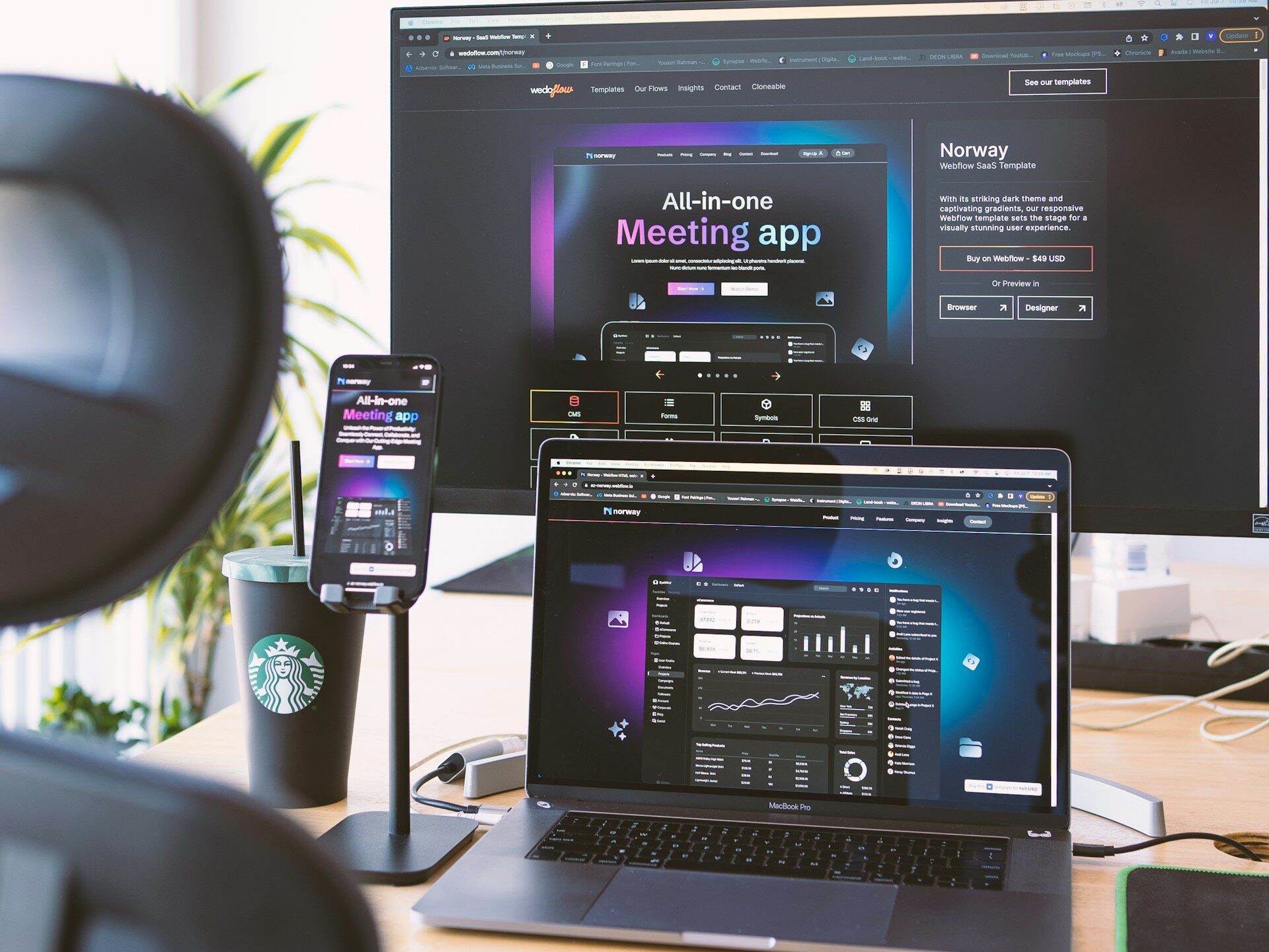
If you care a lot about design control and want a modern marketing site that’s built cleanly, Webflow is a strong option—when it fits your workflow.

Best for:

  • Custom marketing sites
  • Strong layout/design control
  • Clean builds with reusable sections

Pick Webflow when: design quality is a priority and someone on your team (or your partner) can maintain it without creating chaos.


The #1 Mistake Businesses Make When Choosing a Platform

Picking a platform based on what someone likes… instead of what your business needs—and who has to update it.

That’s how you end up with:

  • A site no one wants to touch
  • Expensive “simple changes”
  • Plugins/apps stacked until things break
  • A platform that becomes a bottleneck instead of a tool

If you want the best platform for your business, ask this:

What will keep my website easy to update six months from now?

Because that’s what determines whether the site stays useful—or becomes a problem.


Ready for a new website? Start with these questions.

  1. Is ecommerce the main function of the site?
  2. Will SEO/content marketing drive growth long-term?
  3. Who will update the site weekly or monthly?
  4. Do you need custom design control or is a template fine?
  5. What happens if updates become painful (or get ignored)?

The clearest platform choice is usually the one that supports your goals and fits your team’s bandwidth.


How NWPC Marketing Solutions helps you choose the best website platform for your business.

Our team can design, develop, and maintain websites on any platform as needed—Shopify, WordPress, Webflow, Squarespace, Wix Studio, and beyond.

What that means for your business:

  • Platform-agnostic recommendations: we suggest what fits your goals and internal bandwidth—not what’s trendy
  • Design that converts: clear messaging, modern UX, and layouts built to drive action
  • Clean development: structured builds that avoid future headaches and reduce long-term maintenance
  • Ongoing support + maintenance: updates, fixes, improvements, and help when you need changes—without your site becoming fragile

If you already have a website, we can also audit what you have, identify what’s slowing you down (or creating risk), and map a clear plan forward.

How Our Custom Portal System Works (and Why Marketing Teams Love It)

The problem we’re solving

If your company has multiple locations, multiple departments, or just a growing team, “ordering marketing stuff” can get messy fast. It usually turns into email chains, outdated files, off-brand purchases, and last-minute rush requests.

A custom portal fixes that by creating a central, controlled storefront for everything your team needs—while keeping your brand, budget, and ordering rules intact.

What the portal can include

Your portal can house and manage:

  • Apparel & uniforming
  • Promotional products
  • Print collateral (business cards, brochures, sell sheets, forms)
  • Signage (banners, window graphics, wayfinding, etc.)
  • Digital assets (logos, templates, brand files)

It can also support digital asset management, so users can find the right files without asking marketing for “the latest version.”


Our onboarding process (step-by-step)

1) We get to know your needs and pain points

We start with a short discovery to understand:

  • who is ordering today (and how)
  • what’s slowing things down (emails, approvals, brand consistency, shipping, inventory)
  • what control you need (budgets, permissions, approvals, cost centers)

This step sets the “rules of the road” for the portal—so it matches how your organization actually works.


2) We establish your initial item list

Next, we collect an existing list of items you already use or want to standardize:

  • apparel/uniform pieces
  • promo items
  • marketing collateral
  • signage products
  • digital downloads/templates

This is the foundation of your catalog—so your team has useful options on day one.


3) We create a SKU list and build your custom portal

We translate your product list into a clean SKU-based catalog and build out your portal/storefront experience. Marketing portals are designed to support a wide range of product types (print, promo, apparel, digital), and they can connect to fulfillment and vendor workflows behind the scenes.


4) We assign users, permissions, and approval rules

This is where the portal becomes a real operations tool—not just a shopping page.

We can configure:

  • user roles and permissions
  • approval workflows (who approves what, and when)
  • ordering limits, budgets, and spend rules
  • department/location access (so each team sees what they should)

The result: teams can order what they need, without marketing being the bottleneck.


5) We provide ongoing reporting to guide restocks and decisions

Once orders start flowing, we use reporting and dashboards to help you answer questions like:

  • what’s being ordered most (and by whom)
  • which locations are using which items
  • when to restock common products
  • what to phase out or standardize

The system supports standard and custom reporting so you’re not guessing—especially on inventory and demand.

If your program includes stocked items, the fulfillment layer can support receiving, inventory planning, and shipping workflows.


What you get at the end

A portal that helps you:

  • keep ordering on-brand
  • reduce back-and-forth and “logo requests”
  • enforce approvals and spend rules
  • simplify ordering across locations
  • get visibility into usage so you can plan smarter

If you want, we can share a simple example structure (catalog categories + user roles + approval flow) based on your business type. Visit nwpcmarketing.com/portals to get started!

Organic Content vs. Stock Imagery: What to Use (and Where) for a Website That Builds Trust

Stock imagery isn’t “bad.” It’s just often forgettable.

If your goal is trust (and for most small/medium businesses it is), real content from your business usually wins because it shows customers what it’s actually like to work with you.

When a business asks, “Should we use stock photos or real photos?” what they usually mean is:

“How do we make our website look professional without overcomplicating it?”

Here’s the practical answer:

  • Real content builds trust faster
  • Stock content can support the story, but it usually can’t be the story

If your website needs to drive leads (most do), trust is not optional—especially for service businesses, B2B, and anything with a higher price point.

Where real organic content matters most

These are the areas where real photos/video typically have the biggest impact:

1) Homepage – Visitors decide quickly whether you feel credible. Real images of your team, work, facility, vehicles, or process make your business feel legitimate and “known.”

2) About / Team pages – Stock photos on an About page can feel like a handshake through a glove. Real headshots and team photos make the business feel human and accountable.

3) Service pages – If you’re selling a service, show the service. Even a handful of real job-site/action photos can do more than a paragraph of copy.

4) Case studies / portfolio pages – This is where proof lives. Real visuals are doing real selling here.

5) Recruiting / culture content – If you’re hiring, real photos and short video clips help candidates picture themselves in your environment.

Where stock imagery can be perfectly fine

Stock has a role—just use it intentionally.

Good uses for stock:

  • abstract concepts (data, strategy, “planning,” etc.)
  • blog headers when the article is informational and not case-study driven
  • subtle backgrounds and textures
  • sections that need visual balance but aren’t trust-critical

When stock starts to hurt:

  • when it looks generic or overly staged
  • when it doesn’t match your industry or customer reality
  • when it’s used in places where people expect proof (home, about, services)

A helpful rule:
Use stock to support. Use real content to convince.

Best practices: how to get real content without making it a huge project

You don’t need a full documentary crew or a 3-day shoot to get value.

Start with a “core library” (15–30 assets)

For most businesses, a practical starter set includes:

  • Headshots (leadership + customer-facing staff)
  • Team photo(s) (even one is a big upgrade)
  • Facility/exterior shots (helps local trust)
  • Action shots (work in progress, behind-the-scenes)
  • Product/service visuals (what you actually deliver)
  • A few customer-friendly moments (meetings, installs, walkthroughs, delivery, etc.)

With this base, you can refresh:

  • website pages
  • LinkedIn posts
  • proposals and sales decks
  • recruiting posts
  • Google Business Profile updates

Keep it consistent

Consistency beats “perfect.”

  • similar lighting
  • consistent editing style (don’t mix heavy filters with natural images)
  • repeatable framing (a few go-to angles)

Use real environments

People trust what looks real.
A clean shop floor, a real truck, a real install, a real team meeting—those are assets.

Add short video clips (even 10–30 seconds)

Short clips can be repurposed everywhere:

  • website hero sections
  • service pages
  • social posts
  • ads later (if you choose)

A balanced approach that works for most businesses

If you want a simple, realistic plan:

  1. Build a small library of real photos/video first (trust assets)
  2. Use stock sparingly for supporting visuals
  3. Refresh quarterly by adding a few new real photos (events, projects, team updates)

This gives you the credibility of organic content without needing constant content production.

How NWPC can help

If you want to level up your visuals without turning it into a big production, NWPC Marketing can help your business build a clean, reusable content library through:

  • professional headshots
  • event content capture
  • on-site photo/video
  • short-form video clips for web and social
  • and content planning so the assets actually get used (not forgotten in a folder)

If you’d like, we can recommend the minimum set of photos/videos that will make the biggest difference for your website and marketing—based on your industry and goals.

Visit nwpcmarketing.com/content to get started!