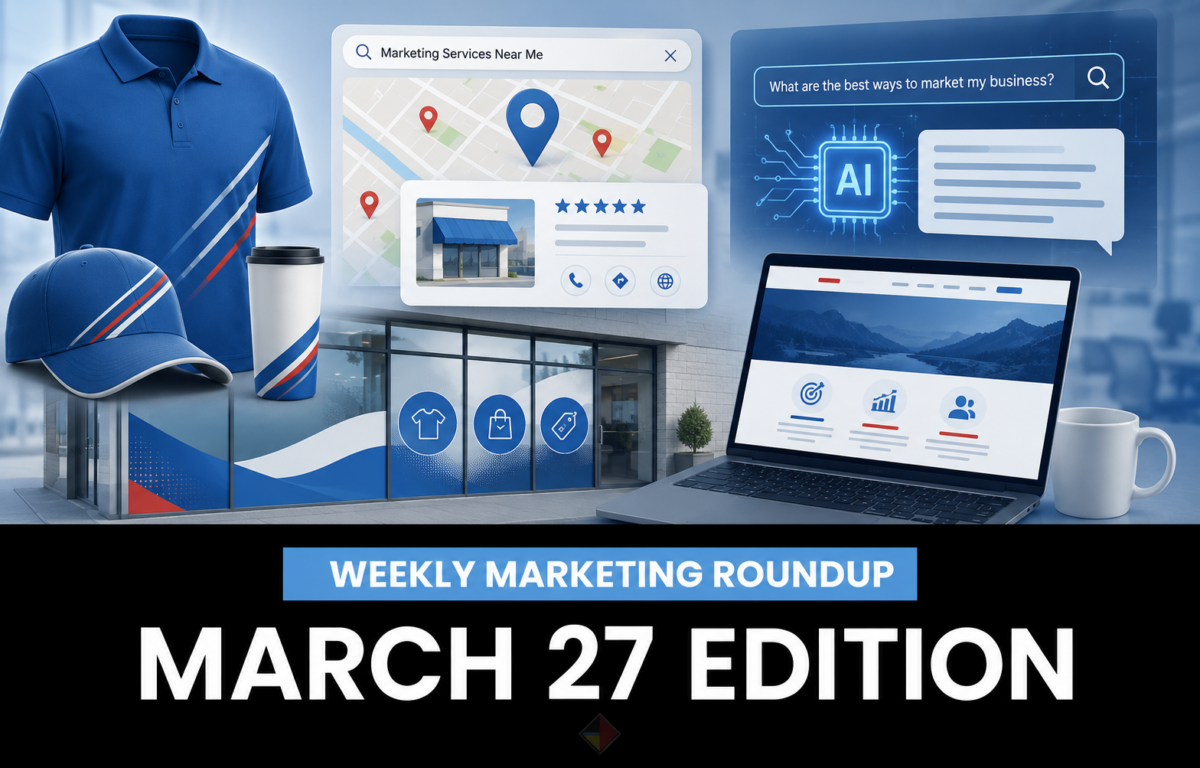
Weekly Roundup 3/27/26: 5 Quick Answers on Apparel, SEO, AI Search, Window Graphics & Websites

Welcome to our Weekly Marketing Roundup—a quick Friday post from NWPC Marketing Solutions that answers a handful of the questions we hear most from business owners and marketing teams. No fluff, just clear, practical answers you can use right away.


1) Embroidery vs. screen printing — which is better for uniforms and branded polos?

Answer: Embroidery is best for polos, hats, and professional uniforms where you want a premium, durable look. Screen printing is best for t-shirts, hoodies, and larger designs where you want bold color and lower cost at higher quantities.


2) If I’m a local business, what should I focus on first for SEO?

Answer: Start with service pages (clear, specific, conversion-focused). Add location pages if you serve multiple cities/areas. Use blogging to support both by answering customer questions and targeting long-tail searches.


3) How is AI changing Google search, and what should I do so my business still shows up?

Answer: AI results often summarize answers and cite sources. To stay visible, keep your website clear, helpful, and up to date—with strong service pages, FAQs, and content that answers real questions. Make sure your site structure and on-page SEO are clean so search engines can understand what you do.


4) Perforated window vinyl vs. frosted vinyl — which should I use for my storefront?

Answer: Use perforated vinyl when you want marketing visibility from outside while still seeing out from inside. Use frosted vinyl when your priority is privacy and a clean, professional look (great for offices, clinics, and financial services).


5) Website refresh vs. rebuild — how do I know which one I need?

Answer: Choose a refresh if the site works but looks dated or isn’t converting well. Choose a rebuild if the site is slow, hard to update, has structural SEO issues, or your platform is limiting growth.


Need help with any of these?

If you want a quick recommendation for your specific situation—apparel, SEO/content, window graphics, or a website upgrade—NWPC can help you choose the best option and handle the execution.

This field is for validation purposes and should be left unchanged.
Name(Required)

Why Your Website Should Have a Blog (And How SEO Snowballs Over Time)

If your website is supposed to bring in leads, it needs more than a homepage and a few service pages. Those pages are important—but they only cover a small slice of what people actually search for.

A blog is how your website starts showing up for the questions, comparisons, and “I’m trying to figure this out” searches that happen before someone is ready to contact you. It’s also one of the simplest ways to keep your website active, expand what you rank for, and build long-term organic visibility.


A blog gives your website more chances to show up in Google and other search engines.

Most business websites have a handful of core pages but that’s not enough to capture the variety of searches people use. Blog posts let your website target dozens (or hundreds) of additional searches like:

  • “How much does ___ cost?”
  • “What’s the difference between ___ and ___?”
  • “Do I need ___ or ___?”
  • “Best way to ___”
  • “Common mistakes with ___”

Those searches are where many leads start. If your website can answer them, you’re in the running.


Blogging keeps your website fresh and “alive”

Search engines crawl websites to find new and updated content. When your site hasn’t changed in a long time, you’re not giving crawlers much to work with—and you’re not giving customers a reason to come back.

A consistent blog cadence adds new pages, updates your internal linking, and signals ongoing relevance–it helps show that your website is maintained and active.


Blog posts build trust before the customer ever contacts you

A strong blog does more than rank on search engines. It answers real customer questions and makes your business the obvious choice.

When someone reads a helpful article on your site, you’ve already done part of the sales process:

  • You’ve explained the topic clearly
  • You’ve reduced uncertainty
  • You’ve shown expertise without a hard pitch

That’s why blog-driven leads are often higher quality—because they’ve already learned from you.


Blogging supports your most important pages

One of the best uses of a blog is to strengthen your money pages.

Each blog post can link back to:

  • A specific service page
  • A location page
  • A contact/quote page

This builds a web of relevance and helps search engines understand what you want to be known for—while guiding readers to the next step.


AI-powered search results (like AI summaries and conversational search) often answer questions directly and cite the sources they pulled from. That means your goal isn’t only “get the click” anymore—it’s also be the source the AI chooses to reference.

Blog posts are one of the best ways to earn that attribution–when your site consistently publishes helpful blog content, it increases the chances your pages show up as a cited source in AI results—so even if a user doesn’t click immediately, your brand still gets visibility, trust, and a better shot at being the business they contact when they’re ready.


SEO is a long game (and it snowballs)

Here’s the honest part: blogging for SEO usually doesn’t explode overnight.

SEO works more like compounding interest. One good blog post may bring in a small amount of traffic at first. Then it gets indexed, starts ranking for more variations, earns clicks, gets linked internally, and builds credibility over time. Add another post next month. Then another. Now your site is ranking for dozens of terms instead of a few.

That’s the snowball:

  • More content → more keywords → more visibility
  • More visibility → more clicks → more engagement signals
  • More engagement → more trust → more leads

Consistency is what turns “a few posts” into a real inbound channel.


Metadata: The part most businesses miss

Many companies write blog posts and hit publish—but skip the setup that helps posts rank. There is actually a front side and back side:

Front side (what readers see)

  • Clear topic and intent
  • Helpful structure and headings
  • Simple language and real-world examples
  • Calls-to-action that guide readers to contact you

Back side (what search engines see)

This is where many blogs are lacking–SEO details that help content build momentum:

  • SEO title and meta description written for search clicks
  • Keyword focus + supporting phrases
  • Clean URL slug
  • Proper heading structure (H1/H2/H3)
  • Internal linking to support service pages
  • Basic formatting and image optimization

This is how blog posts become a measurable SEO asset—not just “news updates.”


If keeping up with blogging feels like one more thing on an already full plate, you’re not alone. A lot of teams know they should post consistently—they just don’t have the time to plan topics, write drafts, and get everything published correctly (including the SEO details).

That’s where we can help! NWPC can handle the writing and the behind-the-scenes setup, and you still stay in the driver’s seat with a simple monthly check-in to review topics and approve content before anything goes live. It keeps your website active and moving in the right direction without you having to babysit the process.

Get blog help from our experts!

Name(Required)

Website Refresh vs Website Rebuild: What’s Right for Your Business?

If your website feels dated or isn’t bringing in leads like it used to, there are two options:

  1. A website refresh (improve what you have on your existing infrastructure)
  2. A website rebuild (start over with a new foundation or a new platform)

The trick is choosing the option that solves your website problems without overpaying, losing SEO momentum, or getting stuck in a months-long project that sucks up all your time.

At NWPC Marketing Solutions, we help businesses make this call all the time! We build and rebuild sites on the most popular platforms, including WordPress, Wix Studio, Shopify, Squarespace, and more. Our goal isn’t to recommend one “favorite” tool. We’re purely focused on what will work best for your business and your goals.


What is a website refresh?

A refresh keeps your existing website platform and structure, but upgrades the parts that matter most—usually design, messaging, usability, and key pages.

Some common refresh improvements:

  • Updated homepage layout and messaging
  • New photos/visuals and modernized styling
  • Cleaner navigation
  • Reworked service pages
  • Better calls-to-action (forms, buttons, click-to-call)
  • On-page SEO improvements (titles, meta descriptions, headers)
  • Speed improvements (images, caching, bloat cleanup)

What is a website rebuild?

A rebuild is a ground up build of your site—often with a new theme/system, new page templates, and sometimes a new platform.

Why have your website rebuilt?

  • Your website is slow, unstable, or hard to update
  • SEO problems are baked into the structure
  • The site has grown messy over time (too many plugins, patches, and workarounds)
  • You’re changing platforms (ex. Squarespace → WordPress, Wix → Wix Studio, etc.)
  • You need new functionality (ecommerce, portal, booking, integrations, custom features)
  • You want a stronger foundation for SEO and future growth

The pros and cons of a website refresh

Pros

  • Faster timeline (often weeks, not months)
  • Lower cost than a full rebuild
  • Less disruption (you keep your platform and most URLs)
  • Can deliver quick wins for leads and conversion rate
  • Good option when your foundation is solid

Cons

  • You can’t fix everything if the underlying structure is flawed
  • If the site is already “held together with duct tape,” a refresh may be temporary
  • Limited flexibility if your current platform/theme is restrictive

The pros and cons of a website rebuild

Pros

  • Clean, modern foundation built for speed, SEO, and conversions
  • Better long-term scalability (adding pages, locations, integrations, ecommerce)
  • Opportunity to improve site architecture and user flow
  • Great time to rethink messaging and positioning
  • Can remove years of clutter and patchwork

Cons

  • Bigger investment (time and budget)
  • Requires careful planning to protect SEO (redirects, content migration, tracking)
  • More decisions up front (platform, structure, design system, integrations)

Deciding between a refresh and a rebuild:

A refresh is usually enough if…

  • Your website works fine, it just looks outdated
  • You like your platform and it’s easy to update
  • Your pages are organized and your navigation makes sense
  • You don’t need major new features or integrations
  • Your SEO is decent and your URL structure makes sense

A rebuild is usually the smarter move if…

  • Your site is slow, buggy, or difficult to maintain
  • You’re embarrassed to send people to it
  • Your platform is limiting what you want to do
  • You need ecommerce, better integrations, or new functionality
  • Your SEO structure is messy (duplicate pages, poor internal linking, confusing URLs)
  • You’re rebranding or changing how you sell to clients

The SEO and tracking risks of website refreshes and rebuilds

  • Changing URLs without a redirect plan
  • Removing top-performing pages “because we don’t like them”
  • Launching without analytics or conversion tracking
  • Forgetting about local SEO signals (NAP, location pages, reviews)
  • Moving platforms without preserving metadata and on-page structure

When we build websites, we treat SEO and tracking as part of the build—not a “later” item.


How we help you choose the right path

Your business doesn’t need a sales pitch—you need a clear recommendation driven by an educated analysis.

Here’s how we approach it:

  1. Audit what you have (performance, SEO, conversion flow, platform limits)
  2. Identify the real problem (design, messaging, technical debt, content gaps, speed)
  3. Recommend refresh vs rebuild based on impact and budget
  4. Build on the right platform for your business

We develop on various website platforms:

  • WordPress (flexible, scalable, great for SEO/content)
  • Wix Studio (we’re a Legend Partner; great for modern, responsive sites)
  • Shopify (best for ecommerce-first businesses)
  • Squarespace (strong for design-forward sites and simpler builds)
  • And other solutions when needed

The goal is simple: make sure your next website investment actually moves the needle.


What you’ll typically get with a refresh

  • Updated design and layout where it counts
  • Improved calls-to-action and lead capture
  • Page clean-up, speed improvements, and basic technical fixes
  • On-page SEO cleanup (titles/meta/headers)
  • A site that feels modern and works better—without starting from scratch

What you’ll typically get with a rebuild

  • A new structure built for conversions and SEO
  • New templates and a cleaner editing experience
  • Content migration done carefully (with SEO preserved)
  • Redirect mapping and launch QA
  • Tracking set up correctly from day one

Want a clear recommendation?

Tell us what platform you’re on, what’s not working, and what you want your website to do (leads, bookings, ecommerce, credibility). We’ll point you toward the smartest next step and, if it’s a fit, our team can handle the design and development.
This field is for validation purposes and should be left unchanged.
Name(Required)