Choosing the best website platform for your business.

The “best website platform” isn’t a universal decision.

It’s the platform that fits your business goals and the people who will actually maintain the site after launch.

Because the platform that looks perfect on paper can become a mess in real life if every update requires a developer… or if your team avoids touching it because they’re afraid to break something.

Let’s make the decision simple.


Start Here: What Does Your Website Need to Do?

Before you pick a platform, get clear on two things:

  1. What is the primary job of your website? (sell, generate leads, educate, book calls, etc.)
  2. Who is responsible for updating it? (marketing, admin, designer, developer, you)

Those two answers usually point you to the right platform faster than any “top 10” list.


The Simple Platform Guide (Match the Platform to the Job)

Shopify: Best for ecommerce-first businesses

If your website’s main purpose is selling products online, Shopify is one of the strongest options because it’s built for commerce.

Best for:

  • Online stores + product catalogs
  • Checkout + payment processing
  • Inventory, shipping, taxes, discounting
  • Scaling ecommerce with apps + integrations

Pick Shopify when: your website is primarily a store and you want a platform designed to handle ecommerce without duct tape.


WordPress: Best for content-driven marketing + SEO

If your business relies on publishing content, ranking in search, and building authority over time, WordPress is a great fit—especially when it’s built and maintained properly.

Best for:

  • Blogging + content hubs
  • SEO control (URLs, metadata, structure, plugins)
  • Custom features (with the right build approach)

Pick WordPress when: content and SEO are central, and you have someone who can handle maintenance responsibly (or a partner like us who can).


Squarespace or Wix Studio: Best for simple sites + tight budgets + easy management

If you need a clean, professional website quickly—and you want it to stay easy—Squarespace or Wix Studio can be a smart choice.

Best for:

  • Service businesses
  • Basic marketing sites (“brochure” sites)
  • Portfolios and simple pages
  • Teams that want low-maintenance editing

Pick Squarespace/Wix when: simplicity matters more than customization, and you want something your team can manage confidently.
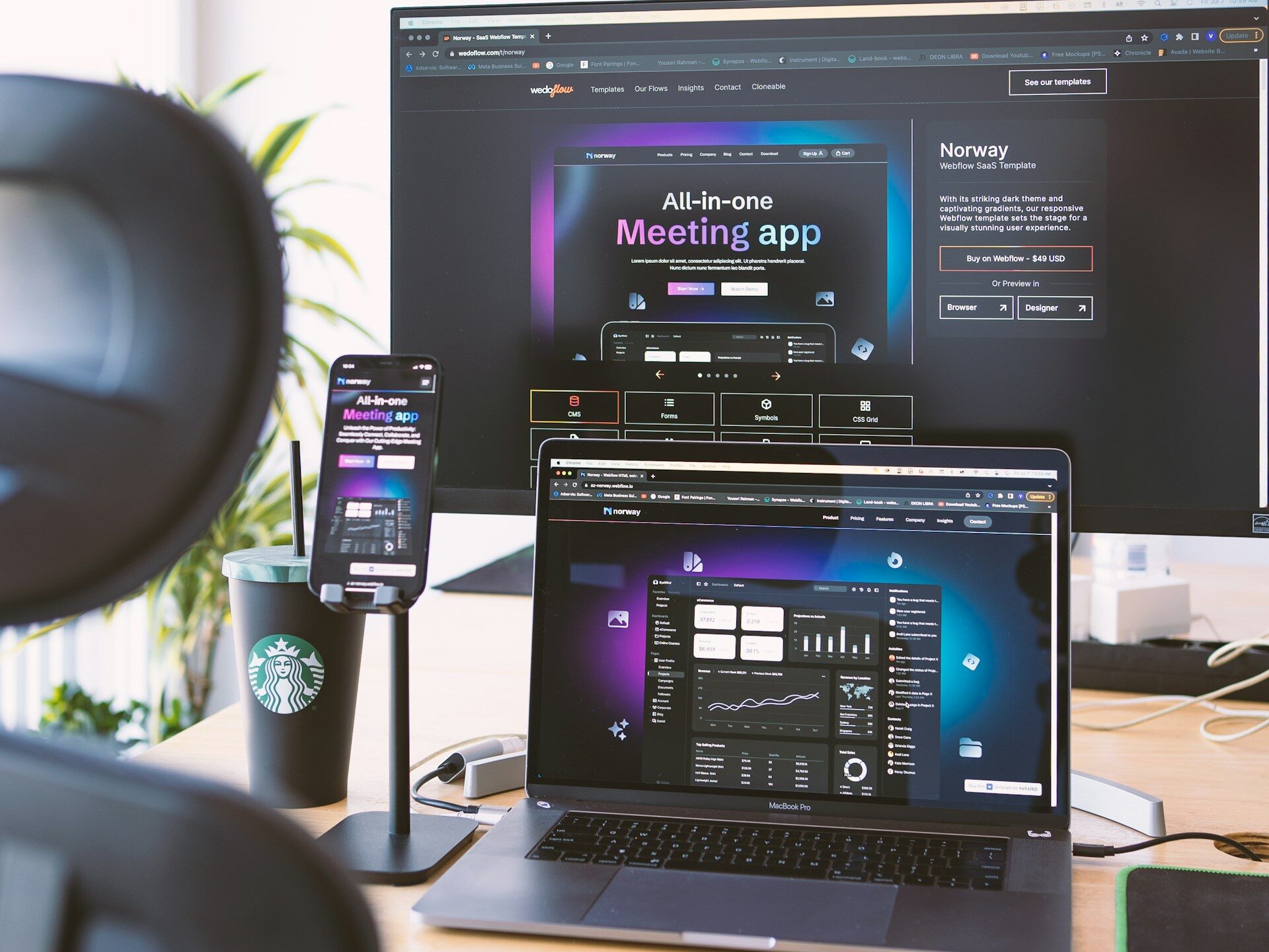

Webflow: Best for high-design marketing sites with clean structure

If you care a lot about design control and want a modern marketing site that’s built cleanly, Webflow is a strong option—when it fits your workflow.

Best for:

  • Custom marketing sites
  • Strong layout/design control
  • Clean builds with reusable sections

Pick Webflow when: design quality is a priority and someone on your team (or your partner) can maintain it without creating chaos.


The #1 Mistake Businesses Make When Choosing a Platform

Picking a platform based on what someone likes… instead of what your business needs—and who has to update it.

That’s how you end up with:

  • A site no one wants to touch
  • Expensive “simple changes”
  • Plugins/apps stacked until things break
  • A platform that becomes a bottleneck instead of a tool

If you want the best platform for your business, ask this:

What will keep my website easy to update six months from now?

Because that’s what determines whether the site stays useful—or becomes a problem.


Ready for a new website? Start with these questions.

  1. Is ecommerce the main function of the site?
  2. Will SEO/content marketing drive growth long-term?
  3. Who will update the site weekly or monthly?
  4. Do you need custom design control or is a template fine?
  5. What happens if updates become painful (or get ignored)?

The clearest platform choice is usually the one that supports your goals and fits your team’s bandwidth.


How NWPC Marketing Solutions helps you choose the best website platform for your business.

Our team can design, develop, and maintain websites on any platform as needed—Shopify, WordPress, Webflow, Squarespace, Wix Studio, and beyond.

What that means for your business:

  • Platform-agnostic recommendations: we suggest what fits your goals and internal bandwidth—not what’s trendy
  • Design that converts: clear messaging, modern UX, and layouts built to drive action
  • Clean development: structured builds that avoid future headaches and reduce long-term maintenance
  • Ongoing support + maintenance: updates, fixes, improvements, and help when you need changes—without your site becoming fragile

If you already have a website, we can also audit what you have, identify what’s slowing you down (or creating risk), and map a clear plan forward.

Picking the Right Website Platform: A No-Drama Guide for Real Businesses

The “Best Platform” Is the One Your Team Can Actually Run

The internet loves platform debates.

Your business needs a website that:

  • loads fast
  • looks credible
  • is easy to update
  • supports your goals
  • doesn’t break every time someone touches it

We build on multiple platforms because the right answer depends on your needs and budget, not what a developer prefers.


Step 1: Answer These 6 Questions First

  1. Do you sell products online? (real ecommerce, not “maybe later”)
  2. Who will update the site weekly/monthly? (you, a team member, or an agency)
  3. How complex is the site? (5 pages vs 30+ pages, multiple locations, integrations)
  4. Do you need custom functionality? (member portals, quoting tools, advanced forms)
  5. How important is SEO/content marketing? (blogs, service pages, ongoing content)
  6. What’s the real budget—not just for launch, but for upkeep?

If you can answer those, the platform choice becomes obvious.


Quick “Best For” Platform Guide

Shopify

Best for: ecommerce-first businesses
Why: built for selling—products, checkout, inventory, shipping, payments
Not ideal for: service businesses that don’t need ecommerce

WordPress

Best for: businesses that want flexibility + content/SEO control
Why: strong for service pages, blogging, SEO structure, integrations
Watch for: too many plugins + poor maintenance = slow sites and headaches

Squarespace / WIX Studio (and similar builders)

Best for: simpler sites with tighter budgets and basic needs
Why: easy editing, clean templates, quick to launch
Watch for: limitations if you grow into custom features later

Webflow

Best for: design-forward sites needing clean structure and more control than basic builders
Why: strong front-end control, good performance when built properly
Watch for: editing comfort—depends on who will manage the site internally


The Most Common Platform Mistake

Picking a platform based on what someone likes… instead of who has to maintain it.

A site that’s “powerful” but never updated gets outdated fast.
A site that’s “easy” but can’t scale becomes a rebuild later.


What We Recommend Most Often

Instead of a platform “winner,” we recommend a fit:

  • Service business focused on leads + SEO: WordPress or Webflow (depending on budget + editing needs)
  • Ecommerce: Shopify
  • Simple online presence: Squarespace-style builder (if growth needs are limited)

The Real Goal: A Website That Stays Useful

No matter the platform, your website needs:

  • clear messaging (who you help, what you do, next step)
  • proof (reviews, photos, examples)
  • conversion paths (calls, forms, quote requests)
  • ongoing maintenance (updates, security, backups)

A great build without upkeep turns into a problem.


  • NWPC Marketing Solutions Is a Wix Studio Certified Expert Developer
    NWPC Marketing Solutions is now a Wix Studio certified developer. Wix has recognized our team at the Expert level as a Developer for websites. We’re proud of it, and it reflects the technical work our developers do every day. Keep reading to learn more about what this certification is, how Wix awards it, and what …
  • Employee Uniform Program: How to Run One Across Multiple Locations
    When your team works in one building, handing out uniforms is easy. However, it gets harder when you have staff in a dozen locations or remote employees across the country. An employee uniform program solves this because it gives everyone one simple way to get the right apparel. Below, we cover the catalog, sizes, uniform …
  • How Our Developers Use Breakpoints to Build Better Websites
    A strong mobile site is not just a smaller desktop site. Our developers adjust layouts so content remains easy to read, navigate, and use across phones, tablets, laptops, and desktop screens.
  • Custom Embroidered Patches on Trucker Hats
    If you’ve ever sent a file to print and heard “We need bleeds” or “Your safe area is too tight,” you’re not alone. These are standard print terms—but they’re easy to mix up. Keep reading for more information on important design terms you should be familiar with so your physical marketing stays on brand.
  • Embroidery vs Heat Transfers vs Screen Printing: What’s Best for Branded Apparel?
    If you’ve ever sent a file to print and heard “We need bleeds” or “Your safe area is too tight,” you’re not alone. These are standard print terms—but they’re easy to mix up. Keep reading for more information on important design terms you should be familiar with so your physical marketing stays on brand.