Website Refresh vs Website Rebuild: What’s Right for Your Business?

If your website feels dated or isn’t bringing in leads like it used to, there are two options:

  1. A website refresh (improve what you have on your existing infrastructure)
  2. A website rebuild (start over with a new foundation or a new platform)

The trick is choosing the option that solves your website problems without overpaying, losing SEO momentum, or getting stuck in a months-long project that sucks up all your time.

At NWPC Marketing Solutions, we help businesses make this call all the time! We build and rebuild sites on the most popular platforms, including WordPress, Wix Studio, Shopify, Squarespace, and more. Our goal isn’t to recommend one “favorite” tool. We’re purely focused on what will work best for your business and your goals.


What is a website refresh?

A refresh keeps your existing website platform and structure, but upgrades the parts that matter most—usually design, messaging, usability, and key pages.

Some common refresh improvements:

  • Updated homepage layout and messaging
  • New photos/visuals and modernized styling
  • Cleaner navigation
  • Reworked service pages
  • Better calls-to-action (forms, buttons, click-to-call)
  • On-page SEO improvements (titles, meta descriptions, headers)
  • Speed improvements (images, caching, bloat cleanup)

What is a website rebuild?

A rebuild is a ground up build of your site—often with a new theme/system, new page templates, and sometimes a new platform.

Why have your website rebuilt?

  • Your website is slow, unstable, or hard to update
  • SEO problems are baked into the structure
  • The site has grown messy over time (too many plugins, patches, and workarounds)
  • You’re changing platforms (ex. Squarespace → WordPress, Wix → Wix Studio, etc.)
  • You need new functionality (ecommerce, portal, booking, integrations, custom features)
  • You want a stronger foundation for SEO and future growth

The pros and cons of a website refresh

Pros

  • Faster timeline (often weeks, not months)
  • Lower cost than a full rebuild
  • Less disruption (you keep your platform and most URLs)
  • Can deliver quick wins for leads and conversion rate
  • Good option when your foundation is solid

Cons

  • You can’t fix everything if the underlying structure is flawed
  • If the site is already “held together with duct tape,” a refresh may be temporary
  • Limited flexibility if your current platform/theme is restrictive

The pros and cons of a website rebuild

Pros

  • Clean, modern foundation built for speed, SEO, and conversions
  • Better long-term scalability (adding pages, locations, integrations, ecommerce)
  • Opportunity to improve site architecture and user flow
  • Great time to rethink messaging and positioning
  • Can remove years of clutter and patchwork

Cons

  • Bigger investment (time and budget)
  • Requires careful planning to protect SEO (redirects, content migration, tracking)
  • More decisions up front (platform, structure, design system, integrations)

Deciding between a refresh and a rebuild:

A refresh is usually enough if…

  • Your website works fine, it just looks outdated
  • You like your platform and it’s easy to update
  • Your pages are organized and your navigation makes sense
  • You don’t need major new features or integrations
  • Your SEO is decent and your URL structure makes sense

A rebuild is usually the smarter move if…

  • Your site is slow, buggy, or difficult to maintain
  • You’re embarrassed to send people to it
  • Your platform is limiting what you want to do
  • You need ecommerce, better integrations, or new functionality
  • Your SEO structure is messy (duplicate pages, poor internal linking, confusing URLs)
  • You’re rebranding or changing how you sell to clients

The SEO and tracking risks of website refreshes and rebuilds

  • Changing URLs without a redirect plan
  • Removing top-performing pages “because we don’t like them”
  • Launching without analytics or conversion tracking
  • Forgetting about local SEO signals (NAP, location pages, reviews)
  • Moving platforms without preserving metadata and on-page structure

When we build websites, we treat SEO and tracking as part of the build—not a “later” item.


How we help you choose the right path

Your business doesn’t need a sales pitch—you need a clear recommendation driven by an educated analysis.

Here’s how we approach it:

  1. Audit what you have (performance, SEO, conversion flow, platform limits)
  2. Identify the real problem (design, messaging, technical debt, content gaps, speed)
  3. Recommend refresh vs rebuild based on impact and budget
  4. Build on the right platform for your business

We develop on various website platforms:

  • WordPress (flexible, scalable, great for SEO/content)
  • Wix Studio (we’re a Legend Partner; great for modern, responsive sites)
  • Shopify (best for ecommerce-first businesses)
  • Squarespace (strong for design-forward sites and simpler builds)
  • And other solutions when needed

The goal is simple: make sure your next website investment actually moves the needle.


What you’ll typically get with a refresh

  • Updated design and layout where it counts
  • Improved calls-to-action and lead capture
  • Page clean-up, speed improvements, and basic technical fixes
  • On-page SEO cleanup (titles/meta/headers)
  • A site that feels modern and works better—without starting from scratch

What you’ll typically get with a rebuild

  • A new structure built for conversions and SEO
  • New templates and a cleaner editing experience
  • Content migration done carefully (with SEO preserved)
  • Redirect mapping and launch QA
  • Tracking set up correctly from day one
Want a clear recommendation?

Tell us what platform you’re on, what’s not working, and what you want your website to do (leads, bookings, ecommerce, credibility). We’ll point you toward the smartest next step and, if it’s a fit, our team can handle the design and development.
This field is for validation purposes and should be left unchanged.
Name(Required)

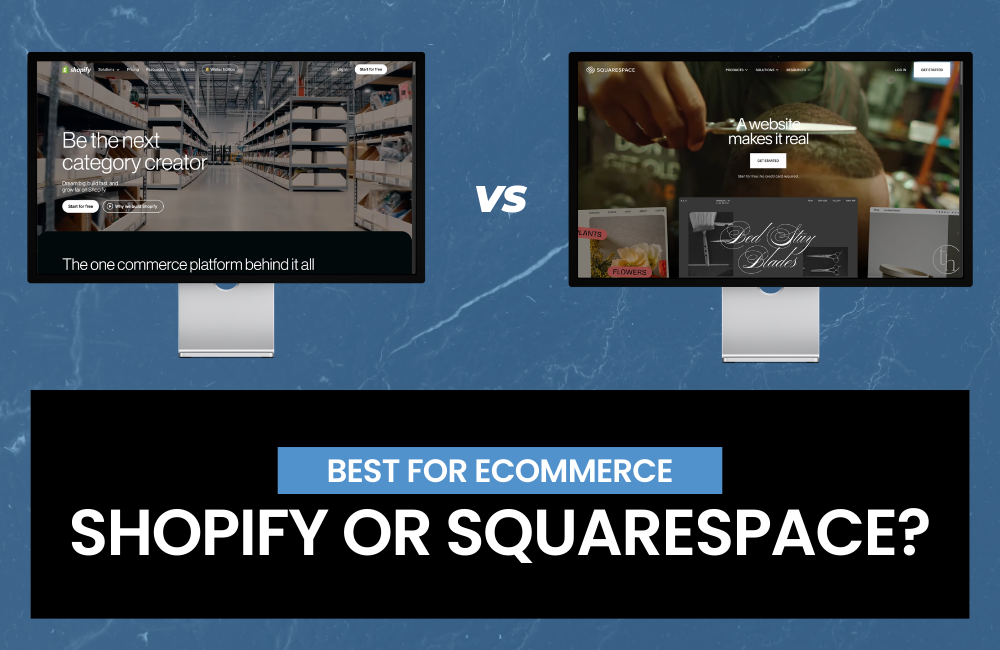
Shopify vs Squarespace: Which Website Builder Is Best for Ecommerce?

If you’re trying to choose between Shopify vs Squarespace, you’re not alone. Both are popular choices for building a professional website, but they’re built for different goals. One is purpose-built for selling products online; the other is known for beautiful design and an easy website-building experience.


Quick comparison: Shopify vs Squarespace

Choose Shopify if you want:

  • A dedicated ecommerce platform built to scale
  • Strong inventory management, shipping, taxes, and multi-channel selling
  • Lots of apps, integrations, and advanced storefront customization

Choose Squarespace if you want:

  • A design-forward website builder with built-in commerce
  • A simpler store (few products, minimal variants) and fewer moving parts
  • An all-in-one site for services, bookings, portfolios, and content

1) Ecommerce features: who’s better for selling online?

Shopify: best for ecommerce functionality.

Shopify is designed for ecommerce first. That shows up in day-to-day tools like:

  • Product variants, SKUs, collections, and robust inventory
  • Shipping profiles, discounted rates (depending on plan), and fulfillment workflows
  • Strong checkout experience optimized for conversions
  • Multi-channel selling (social, marketplaces, in-person POS)

If your goal is to build a serious online store—especially with many products or complex shipping—Shopify is usually the better choice.

Squarespace: best for simple stores + great websites

Squarespace works well for:

  • Smaller catalogs
  • Simple product options
  • Creators and local businesses that want a premium-looking website with light ecommerce

It’s a strong fit if ecommerce is important, but not the only focus (e.g., you’re selling a few products alongside services, memberships, or content).

Bottom line: For pure ecommerce power, Shopify wins. For a beautiful website with a smaller store attached, Squarespace is often enough.


2) Templates and design: Shopify themes vs Squarespace templates

Squarespace templates: clean and design-forward

Squarespace is known for polished templates and consistent design. If you want a website that looks “done” quickly—especially for creative brands—Squarespace is hard to beat.

Shopify themes: flexible and store-focused

Shopify themes are built to sell: product pages, collections, featured products, and conversion-focused layouts. With the right theme (and maybe a developer or page builder), Shopify can look just as premium, but it typically takes a bit more setup.

Bottom line: If design simplicity is your priority, Squarespace wins. If you want store-optimized layouts and deeper customization, Shopify wins.


3) SEO: Shopify SEO vs Squarespace SEO

Both platforms support solid SEO fundamentals:

  • Custom page titles and meta descriptions
  • Clean URL structures (with some limitations)
  • Mobile-responsive design
  • Blogging and content pages (Shopify and Squarespace both support blogging)

Shopify SEO strengths

  • Built for ecommerce SEO: product pages, collections, structured store architecture
  • Lots of SEO apps and tools (schema support, redirects, advanced optimization)
  • Strong ecosystem for technical SEO improvements

Squarespace SEO strengths

  • Great for content-heavy sites: portfolios, service pages, and local business websites
  • Easy-to-manage on-page SEO for non-technical users
  • Fast setup for a clean, modern site structure

Bottom line: For ecommerce SEO at scale, Shopify has the edge. For straightforward business websites and content, Squarespace is excellent.


4) Pricing: Shopify pricing vs Squarespace pricing (what to know)

Pricing changes over time, but the key differences stay consistent:

Shopify costs to consider

  • Monthly plan + potential app costs
  • Payment processing fees
  • Extra features often come from apps (email, bundles, subscriptions, advanced SEO)

Squarespace costs to consider

  • Monthly plan is more “all-in-one”
  • Fewer paid add-ons needed for basic sites
  • Commerce features may be limited compared to Shopify’s ecosystem

Bottom line: Squarespace can be more predictable for smaller sites. Shopify can be more expensive, but it’s often worth it if ecommerce is core to revenue.


5) Ease of use: which is easier for beginners?

  • Squarespace is typically easier for first-time website builders because everything is tightly integrated.
  • Shopify is still beginner-friendly, but setting up a high-performing store often involves more decisions (theme, apps, product organization, shipping settings).

Bottom line: If you want the simplest path to a professional site, Squarespace is often easiest. If you’re building a store designed to scale, Shopify is easier in the long run.


6) Payments and checkout: what converts better?

Shopify’s checkout experience is widely considered one of its biggest strengths, with features and integrations designed to reduce friction and improve conversion rate.

Squarespace has a capable checkout for small stores, but it generally offers fewer advanced commerce tools and ecosystem options.

Bottom line: For ecommerce conversion optimization, Shopify is usually the better platform.


7) Scalability: which platform grows with your business?

Choose Shopify if you plan to:

  • Add lots of products or variants
  • Expand to multi-location inventory
  • Sell on multiple channels
  • Run advanced promotions, bundles, subscriptions, or wholesale
  • Integrate with ERP, fulfillment partners, or advanced analytics

Choose Squarespace if you plan to:

  • Keep your catalog smaller
  • Prioritize brand design and content
  • Run a simpler ecommerce operation alongside services

Bottom line: Shopify scales better for ecommerce-heavy growth.


Shopify vs Squarespace: final recommendation

If you’re building a true ecommerce business, Shopify is usually the best choice because it’s designed to sell online and scale.

If you’re a service provider, creator, or local business that wants a beautiful website with light ecommerce, Squarespace is a great option that’s simple to manage and visually strong.

Quick decision guide

  • Best for ecommerce: Shopify
  • Best for design-first websites: Squarespace
  • Best for scaling inventory + shipping: Shopify
  • Best for simple, all-in-one sites: Squarespace

Want a Hand Building Your Shopify or Squarespace Site?

Picking between Shopify vs Squarespace is a great first step—now let’s make sure your site actually looks amazing, works smoothly, and helps you get more customers.

If you’d like, we can build your Shopify or Squarespace site for you and handle the heavy lifting:

  • Helping you choose the right platform for your goals
  • Designing a site that fits your brand (and looks great on mobile)
  • Setting up your store (products, payments, shipping, taxes)
  • Building it with SEO in mind so it’s easier to find on Google
  • Launch support + a quick walkthrough so you feel confident managing it

Send us a message with what you’re selling (or what kind of site you need), and we’ll point you in the right direction and share next steps.

"*" indicates required fields

This field is for validation purposes and should be left unchanged.
Name*

Choosing the best website platform for your business.

The “best website platform” isn’t a universal decision.

It’s the platform that fits your business goals and the people who will actually maintain the site after launch.

Because the platform that looks perfect on paper can become a mess in real life if every update requires a developer… or if your team avoids touching it because they’re afraid to break something.

Let’s make the decision simple.


Start Here: What Does Your Website Need to Do?

Before you pick a platform, get clear on two things:

  1. What is the primary job of your website? (sell, generate leads, educate, book calls, etc.)
  2. Who is responsible for updating it? (marketing, admin, designer, developer, you)

Those two answers usually point you to the right platform faster than any “top 10” list.


The Simple Platform Guide (Match the Platform to the Job)

Shopify: Best for ecommerce-first businesses

If your website’s main purpose is selling products online, Shopify is one of the strongest options because it’s built for commerce.

Best for:

  • Online stores + product catalogs
  • Checkout + payment processing
  • Inventory, shipping, taxes, discounting
  • Scaling ecommerce with apps + integrations

Pick Shopify when: your website is primarily a store and you want a platform designed to handle ecommerce without duct tape.


WordPress: Best for content-driven marketing + SEO

If your business relies on publishing content, ranking in search, and building authority over time, WordPress is a great fit—especially when it’s built and maintained properly.

Best for:

  • Blogging + content hubs
  • SEO control (URLs, metadata, structure, plugins)
  • Custom features (with the right build approach)

Pick WordPress when: content and SEO are central, and you have someone who can handle maintenance responsibly (or a partner like us who can).


Squarespace or Wix Studio: Best for simple sites + tight budgets + easy management

If you need a clean, professional website quickly—and you want it to stay easy—Squarespace or Wix Studio can be a smart choice.

Best for:

  • Service businesses
  • Basic marketing sites (“brochure” sites)
  • Portfolios and simple pages
  • Teams that want low-maintenance editing

Pick Squarespace/Wix when: simplicity matters more than customization, and you want something your team can manage confidently.


Webflow: Best for high-design marketing sites with clean structure

If you care a lot about design control and want a modern marketing site that’s built cleanly, Webflow is a strong option—when it fits your workflow.

Best for:

  • Custom marketing sites
  • Strong layout/design control
  • Clean builds with reusable sections

Pick Webflow when: design quality is a priority and someone on your team (or your partner) can maintain it without creating chaos.


The #1 Mistake Businesses Make When Choosing a Platform

Picking a platform based on what someone likes… instead of what your business needs—and who has to update it.

That’s how you end up with:

  • A site no one wants to touch
  • Expensive “simple changes”
  • Plugins/apps stacked until things break
  • A platform that becomes a bottleneck instead of a tool

If you want the best platform for your business, ask this:

What will keep my website easy to update six months from now?

Because that’s what determines whether the site stays useful—or becomes a problem.


Ready for a new website? Start with these questions.

  1. Is ecommerce the main function of the site?
  2. Will SEO/content marketing drive growth long-term?
  3. Who will update the site weekly or monthly?
  4. Do you need custom design control or is a template fine?
  5. What happens if updates become painful (or get ignored)?

The clearest platform choice is usually the one that supports your goals and fits your team’s bandwidth.


How NWPC Marketing Solutions helps you choose the best website platform for your business.

Our team can design, develop, and maintain websites on any platform as needed—Shopify, WordPress, Webflow, Squarespace, Wix Studio, and beyond.

What that means for your business:

  • Platform-agnostic recommendations: we suggest what fits your goals and internal bandwidth—not what’s trendy
  • Design that converts: clear messaging, modern UX, and layouts built to drive action
  • Clean development: structured builds that avoid future headaches and reduce long-term maintenance
  • Ongoing support + maintenance: updates, fixes, improvements, and help when you need changes—without your site becoming fragile

If you already have a website, we can also audit what you have, identify what’s slowing you down (or creating risk), and map a clear plan forward.

How Often Should You Refresh Your Website—and When Is It Time for a Rebuild?

A website isn’t like a brochure you print once and forget. It’s closer to a storefront: it needs occasional updates to stay accurate, easy to use, and effective at generating leads.

The tricky part is knowing the difference between a refresh (updates and improvements) and a rebuild (a bigger overhaul). This guide keeps it simple.


What a “website refresh” really means

A refresh is not “change the colors and call it a day.” A good refresh focuses on improving performance and clarity without rebuilding everything from scratch.

A refresh typically includes:

  • updating homepage and service page messaging
  • adding new project examples, photos, and testimonials
  • improving calls-to-action (CTAs) and contact forms
  • addressing mobile usability issues
  • speeding up page load times
  • updating SEO basics (titles, meta descriptions, internal links)
  • making sure tracking and conversions are working properly

How often should you refresh?

For most small and mid-sized businesses:

  • Every 6–12 months: do a quick review and make improvements to the pages that matter most.
  • Quarterly (optional): if you rely heavily on your website for leads, it’s worth checking performance more frequently.

Think of it as maintenance: small updates prevent bigger problems later.


When a refresh is usually enough

A refresh is typically the right move if:

  • your site still loads reasonably fast
  • it’s easy for your team to update
  • the structure still matches how customers search and buy
  • you’re getting leads, but want more (or better quality)
  • your platform still supports what you need

In other words: the “foundation” is fine—you just want the site to perform better.


When it’s time to consider a rebuild

A rebuild usually becomes necessary when the site’s structure, platform, or technical setup is holding you back. Here are common signs a rebuild is worth considering:

1) Your business has outgrown the site

If you’ve added services, changed positioning, expanded locations, or shifted your ideal customer, your website may not match the business you are today.

2) Your team avoids updating the website

If editing the site is painful, slow, or requires “that one person who knows how,” it’s a platform/structure problem—not a motivation problem.

3) Mobile experience feels outdated or clunky

If the site is hard to navigate on a phone, loads slowly, or has tiny buttons and awkward layouts, a refresh can help—but often the underlying build needs to be rebuilt properly.

4) SEO has become difficult to maintain

If you can’t create clean service pages, landing pages, or content without jumping through hoops, the platform or theme may be limiting your ability to grow organic traffic.

5) Tracking and conversions are a mess

If you can’t reliably track form submissions, calls, bookings, or ecommerce actions, it’s hard to make smart decisions. That’s often a sign the site needs a more modern setup.

6) You’ve “patched it” for years

If the site has been repeatedly band-aided with plugins, add-ons, and workarounds, you may be spending more time and money maintaining it than rebuilding it correctly.


How often should a rebuild happen?

A common timeframe is every 3–5 years, but it’s not a rule. Some businesses can go longer, especially if they refresh consistently and the site was built with flexibility in mind.

More important than time is this question:
Is the website still helping the business grow—or is it just “there”?


Platform matters more than most people realize

One of the biggest reasons rebuilds go sideways is choosing the wrong platform for how the business operates.

The “best platform” depends on things like:

  • how often you update content
  • whether you need ecommerce
  • what integrations matter (CRM, email marketing, scheduling, inventory)
  • how important SEO and blogging are
  • who will manage the site internally
  • future plans (new locations, more services, customer portals, etc.)

This is where NWPC stands apart: we have experience building and supporting websites across multiple platforms (including WordPress, Shopify, Webflow, and more). That means we can help you make the right platform decision based on your goals—not based on what we “always use.”

Sometimes the right answer is:

  • refresh what you have
  • migrate to a platform that’s easier to manage
  • rebuild with a better structure and cleaner foundation

The simple next step: get a refresh vs. rebuild recommendation

If you’re unsure whether you need a refresh or a rebuild, we can help you sort it out quickly.

Send us your site and a bit of context using our website checker form, and we’ll reply with:

  • whether you’re in “refresh” or “rebuild” territory
  • what we’d prioritize first
  • and what platform options make the most sense for your needs

Start here: nwpcmarketing.com/website-checker

Local SEO in 2026: The Non-Negotiables (and What Doesn’t Matter)

Local SEO Isn’t Magic. It’s Visibility + Trust + Clarity.

If you serve a local area (Detroit, Livonia, Plymouth, Novi… or Fort Myers, Naples…), local SEO isn’t about “tricking Google.”

It’s about making it easy for real people to find you, trust you, and contact you.

Here are the non-negotiables we look for when a business wants more local leads.


1) Your Google Business Profile Has to Be Complete (and Current)

If your Google Business Profile is outdated, you’re basically putting the wrong sign on the road.

Make sure you have:

  • Correct business name, address/service area, phone
  • The right primary category + relevant secondary categories
  • Real photos (team, storefront, vehicles, work examples)
  • Services filled out (not just a vague description)
  • Regular updates/posts (even simple ones)

Quick test: If someone only saw your Google listing, would they know what you do and how to reach you?


2) You Need Service Pages That Say What You Do (Clearly)

A lot of “SEO” problems are actually messaging problems.

You should have dedicated pages for your primary services with:

  • What the service is (in plain English)
  • Who it’s for / typical use cases
  • Proof (photos, examples, testimonials)
  • FAQs (answer what people ask on calls)
  • A clear CTA (call, quote, schedule)

If everything is crammed onto one page, Google—and customers—have less to work with.


3) Reviews Are a System, Not a Lucky Accident

Reviews don’t just help rankings. They help conversions.

The best review strategy is boring:

  • Ask at the right time (after a win)
  • Make it easy (one link)
  • Do it consistently (every week, not every quarter)

If you’re not actively collecting reviews, you’re letting competitors win by default.


4) Consistency Matters More Than “Growth Hacks”

Local SEO loves consistency:

  • Same name/address/phone everywhere
  • Same service descriptions across your site and listings
  • No random old phone numbers on PDFs, old landing pages, or outdated socials

You don’t need 100 fancy tactics if your basics are messy.


5) Your Website Must Be Mobile-Friendly and Fast Enough

Most local searches happen on phones.

If your site is slow, confusing, or hard to use on mobile, you’re paying for traffic that won’t convert.

Minimum standards:

  • Click-to-call works
  • Forms work (and go to a monitored inbox)
  • Pages load quickly on mobile
  • CTAs are obvious (not hidden)

6) Track the Right Things (or You’re Guessing)

Local SEO isn’t “set it and forget it.” You need to know what’s working.

At a minimum, you should be tracking:

  • Calls
  • Form submissions
  • Quote requests / bookings
  • Which pages drive those actions

If you can’t measure leads, you can’t improve lead flow.


What Doesn’t Matter as Much as People Think

  • Obsessing over tiny keyword variations
  • “Posting daily” on every platform
  • Chasing whatever SEO trick is trending this week

Local SEO is fundamentals + execution.


Picking the Right Website Platform: A No-Drama Guide for Real Businesses

The “Best Platform” Is the One Your Team Can Actually Run

The internet loves platform debates.

Your business needs a website that:

  • loads fast
  • looks credible
  • is easy to update
  • supports your goals
  • doesn’t break every time someone touches it

We build on multiple platforms because the right answer depends on your needs and budget, not what a developer prefers.


Step 1: Answer These 6 Questions First

  1. Do you sell products online? (real ecommerce, not “maybe later”)
  2. Who will update the site weekly/monthly? (you, a team member, or an agency)
  3. How complex is the site? (5 pages vs 30+ pages, multiple locations, integrations)
  4. Do you need custom functionality? (member portals, quoting tools, advanced forms)
  5. How important is SEO/content marketing? (blogs, service pages, ongoing content)
  6. What’s the real budget—not just for launch, but for upkeep?

If you can answer those, the platform choice becomes obvious.


Quick “Best For” Platform Guide

Shopify

Best for: ecommerce-first businesses
Why: built for selling—products, checkout, inventory, shipping, payments
Not ideal for: service businesses that don’t need ecommerce

WordPress

Best for: businesses that want flexibility + content/SEO control
Why: strong for service pages, blogging, SEO structure, integrations
Watch for: too many plugins + poor maintenance = slow sites and headaches

Squarespace / WIX Studio (and similar builders)

Best for: simpler sites with tighter budgets and basic needs
Why: easy editing, clean templates, quick to launch
Watch for: limitations if you grow into custom features later

Webflow

Best for: design-forward sites needing clean structure and more control than basic builders
Why: strong front-end control, good performance when built properly
Watch for: editing comfort—depends on who will manage the site internally


The Most Common Platform Mistake

Picking a platform based on what someone likes… instead of who has to maintain it.

A site that’s “powerful” but never updated gets outdated fast.
A site that’s “easy” but can’t scale becomes a rebuild later.


What We Recommend Most Often

Instead of a platform “winner,” we recommend a fit:

  • Service business focused on leads + SEO: WordPress or Webflow (depending on budget + editing needs)
  • Ecommerce: Shopify
  • Simple online presence: Squarespace-style builder (if growth needs are limited)

The Real Goal: A Website That Stays Useful

No matter the platform, your website needs:

  • clear messaging (who you help, what you do, next step)
  • proof (reviews, photos, examples)
  • conversion paths (calls, forms, quote requests)
  • ongoing maintenance (updates, security, backups)

A great build without upkeep turns into a problem.


  • NWPC Marketing Solutions Is a Wix Studio Certified Expert Developer
    NWPC Marketing Solutions is now a Wix Studio certified developer. Wix has recognized our team at the Expert level as a Developer for websites. We’re proud of it, and it reflects the technical work our developers do every day. Keep reading to learn more about what this certification is, how Wix awards it, and what …
  • Employee Uniform Program: How to Run One Across Multiple Locations
    When your team works in one building, handing out uniforms is easy. However, it gets harder when you have staff in a dozen locations or remote employees across the country. An employee uniform program solves this because it gives everyone one simple way to get the right apparel. Below, we cover the catalog, sizes, uniform …
  • How Our Developers Use Breakpoints to Build Better Websites
    A strong mobile site is not just a smaller desktop site. Our developers adjust layouts so content remains easy to read, navigate, and use across phones, tablets, laptops, and desktop screens.
  • Custom Embroidered Patches on Trucker Hats
    If you’ve ever sent a file to print and heard “We need bleeds” or “Your safe area is too tight,” you’re not alone. These are standard print terms—but they’re easy to mix up. Keep reading for more information on important design terms you should be familiar with so your physical marketing stays on brand.
  • Embroidery vs Heat Transfers vs Screen Printing: What’s Best for Branded Apparel?
    If you’ve ever sent a file to print and heard “We need bleeds” or “Your safe area is too tight,” you’re not alone. These are standard print terms—but they’re easy to mix up. Keep reading for more information on important design terms you should be familiar with so your physical marketing stays on brand.

Why Service Business Websites Need a Different Playbook (and What to Focus On)

Service business websites have a different job than most

If you run a service business—HVAC, plumbing, electrical, roofing, landscaping, cleaning—your website isn’t primarily there to “tell your story.”

It’s there to do something very specific:

Turn local intent into leads.
Calls. Quote requests. Booked appointments.

That’s why service business websites should be built differently than a typical “company website.”

When the site is designed like a brochure, you usually see:

  • fewer calls from mobile users
  • visitors bouncing because they can’t find what they need fast
  • service pages that don’t rank (or don’t convert)
  • lost leads because tracking isn’t set up correctly

Let’s break down what a lead-focused service site actually needs.


What’s different about service business web design?

1) Mobile-first isn’t optional

A large portion of service business traffic comes from phones, often when someone has an urgent need.

Your site should make it incredibly easy to:

  • tap-to-call
  • request service quickly
  • find your hours and service area
  • understand what you do in seconds

If the mobile version is clunky, slow, or makes people hunt for a phone number, you’re losing leads.


2) Clear service-area coverage drives trust (and better leads)

Service companies win locally. That means people are looking for answers like:

  • “Do they come to my city?”
  • “How fast can they get here?”
  • “Do they do this specific repair?”

Good service sites make this obvious by including:

  • clear service area messaging (cities/regions you cover)
  • location-focused pages when appropriate
  • callouts for emergency service, same-day service, seasonal service, etc.

This isn’t fluff—it’s what helps customers choose you over the next option in search results.


3) Your homepage should behave like a dispatcher, not a brochure

A service business homepage should help visitors do three things quickly:

  1. confirm they’re in the right place
  2. build confidence they can trust you
  3. take action (call or request service)

That usually means:

  • a simple headline (“HVAC Repair & Installation in [Area]”)
  • a visible call-to-action (call / schedule / request quote)
  • trust builders near the top (reviews, ratings, guarantees, certifications)
  • shortcuts to key services (repair, install, maintenance, emergency)

4) Service pages should be built for SEO and conversions

One of the biggest missed opportunities we see: a single “Services” page trying to cover everything.

For service businesses, better structure is typically:

  • one page per core service (HVAC repair, AC installation, furnace tune-up, etc.)
  • clear FAQs on each page (pricing range, timelines, common issues)
  • proof on each page (photos, testimonials, warranties, process)

This helps customers understand what you do, and it gives Google a clear topic to rank.


5) Trust matters more in home services than most industries

When someone is letting a technician into their home, trust is everything.

The site should make trust easy:

  • real photos (your team, your trucks, your work)
  • customer reviews (embedded or linked)
  • clear guarantees/warranties
  • licensing/insurance mentions (where relevant)
  • “what to expect” process steps

A lead-focused service business site reduces uncertainty.


6) Tracking is how you stop guessing

Service businesses often spend on:

  • Google Ads / Local Services Ads
  • SEO
  • seasonal campaigns
  • social

But many sites don’t track the most important actions:

  • phone clicks
  • form submissions
  • booked appointments

If you can’t measure leads, you can’t improve lead cost or quality.

A good build includes:

  • GA4 + Tag Manager
  • conversion events set up correctly
  • call tracking if calls are your primary lead type

Choosing the right platform for a service business website

The “best” platform depends on how you market, how often you update content, and how you want to manage the site.

At NWPC, we build on multiple platforms (including WordPress, Webflow, Shopify where appropriate, and more)—which matters because we can recommend the platform that fits your operation instead of forcing a one-size-fits-all approach.

For service businesses, platform decisions usually come down to:

  • ease of updating service pages and seasonal promos
  • SEO needs (content growth, location pages, technical structure)
  • speed and performance
  • integrations (CRM, scheduling, call tracking, forms)

Sometimes the right move is a refresh. Sometimes it’s a rebuild. And sometimes it’s moving to a platform that your team can actually maintain without headaches.


The bottom line

Service business websites are designed differently because the buying process is different:

  • high intent
  • often urgent
  • local competition is tight
  • trust matters immediately

If your website isn’t built around that reality, you’ll typically get fewer leads than you should—no matter how good your services are.

If you’d like a simple breakdown of what to improve first, use our website checker and we’ll point you in the right direction: nwpcmarketing.com/website-checker